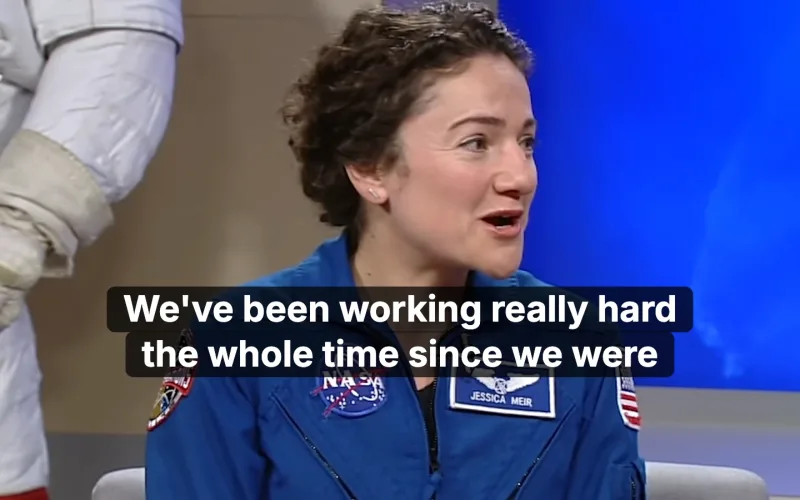
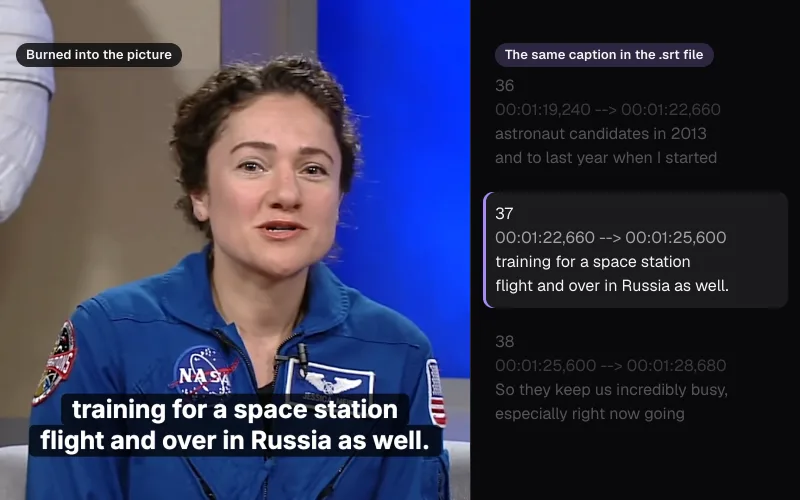
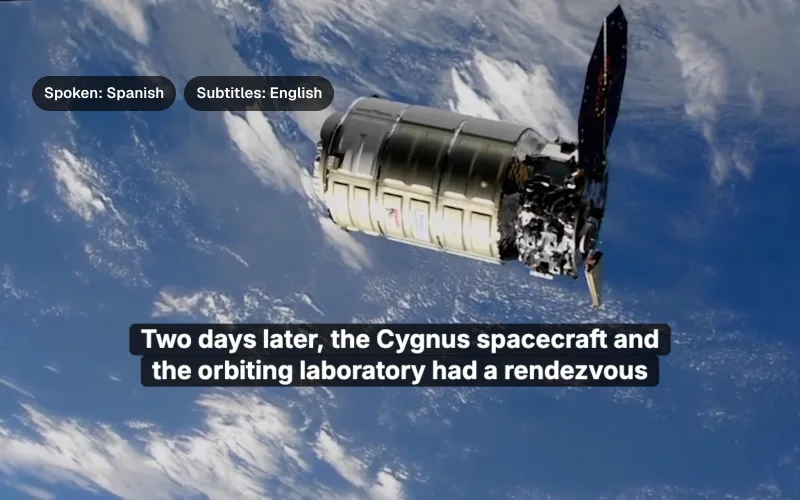
Captions and transcripts
How to transcribe a video without uploading it
We ran a real ten-minute call between two spacecraft through speech recognition inside Chrome, watched every byte the page sent, and checked the transcript line by line.
By the Cutlia team · Published · 15 min read
The short version
- To transcribe without uploading, use speech recognition that runs in your browser: Video to Text downloaded its 563.9 MB Whisper model once, and our 204.5 MB video, its sound and its words never left the laptop.
- Expect a transcript that reads well but still needs a listen: on a ten-minute call relayed from deep space it caught names, jargon and a six-digit number, yet dropped the end of one sentence, broke two others with stray periods and misspelled “translunar” once.
- Check every name, then fix each misspelling everywhere at once: Find with “Replace all” turned the host's name, heard as “Brandy”, into “Brandi” in both places in one step.
- Treat speaker labels as a draft: the tool found six voices on a call with eight astronauts and Mission Control, and put three different men in Orion under one label, so reassign paragraphs with “Said by” and give each voice a name.
- You can check that the work needs no server: with the page still open after a first transcription and a first “Identify speakers”, switch off the network and transcribe another file — our second video was transcribed and its three speakers found with the browser offline.
Transcribing a recording online usually starts with an upload. For a lecture or a family video that may not matter; for a job interview, a medical appointment, a source's words or a meeting under a non-disclosure agreement, it does. Once the file is on someone else's server, how long it stays there and who reads it are decided by their terms, not by you.
The alternative is speech recognition that runs on your own computer, inside the browser tab. To see what that costs in quality, we gave Cutlia's Video to Text a hard recording: NASA's ten-minute edit of what it calls a first-of-its-kind call between the Artemis II crew, in their Orion capsule after flying past the Moon, and the crew of the International Space Station. Two spacecraft, a long radio link, nine people on the line. We watched every request the page made, compared the result with the caption file NASA publishes, and fixed what was wrong.
Where your recording goes when you transcribe it
A transcription service has two ways to work. Either the sound travels to its servers, where the recognition model runs, and text comes back; or the model travels to you, and the sound never moves. The second needs a model small enough to download and a device fast enough to run it, and it changes what you have to trust: not a company's storage and staff, only the page in your own browser.
Video to Text works the second way, and its first screen says so: “Speech recognition runs on your device — nothing is uploaded.” Rather than take that line on trust, we recorded every request the page and its background workers made while it transcribed the call and identified the speakers. Everything big came in, once, and almost nothing went out:
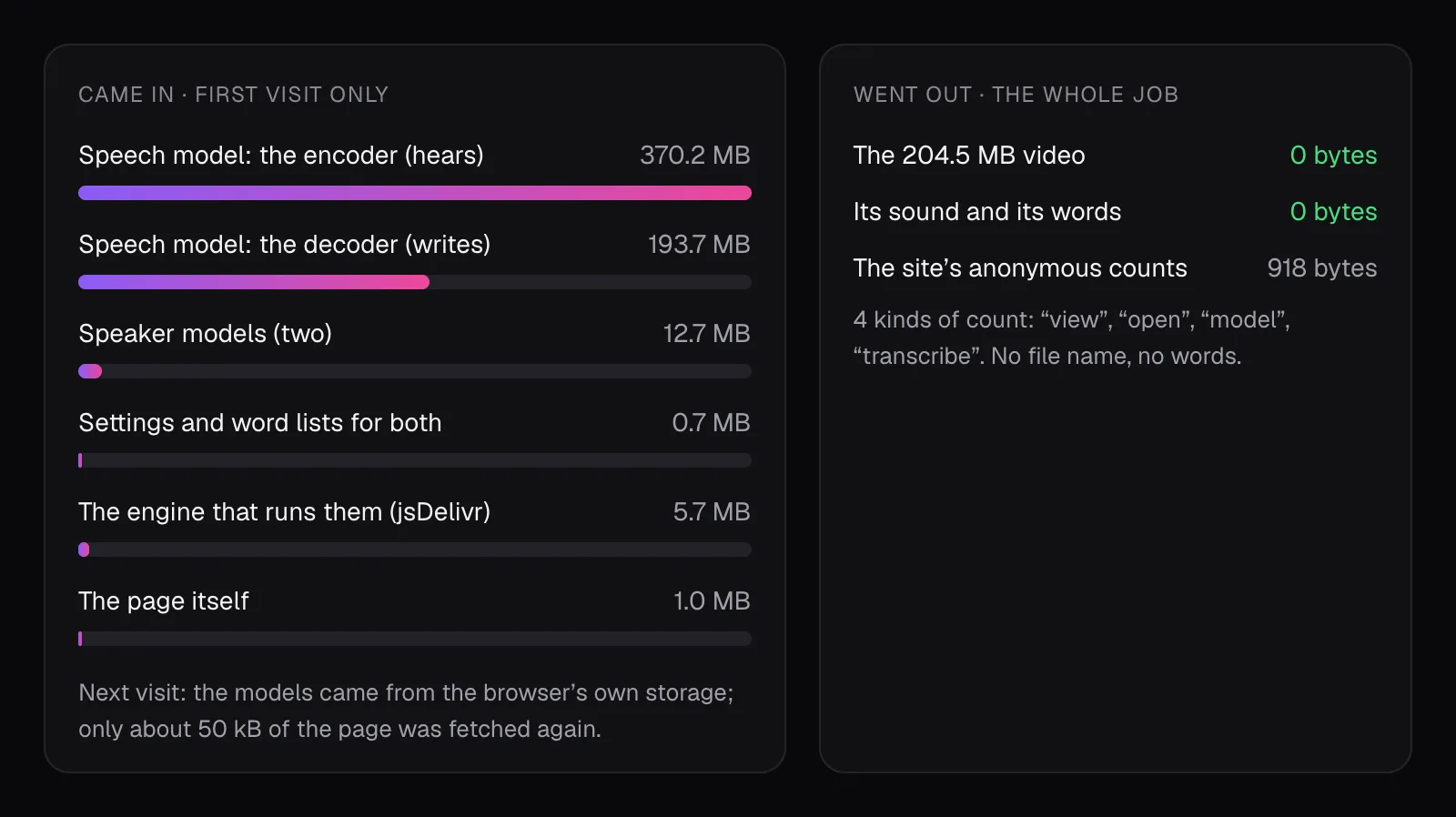
We ran the test on a copy of the site served from the laptop itself. With the model already in the browser's storage, the page and its workers made 26 requests over the network: 24 small downloads, about 50 kB in all, and two messages sent to Cutlia's own counting address, 918 bytes between them. We read both. They say a page was viewed, a file was opened (a WebM between 5 and 15 minutes long and 100 to 500 MB, in 1080p), the speech model loaded, and a transcription finished, with details such as the page's language, the kind of device, what the browser supports and how long each step took, in broad ranges. Neither holds the file's name, a second of sound or a word of the transcript. Closing the tab later sent a third, 220 bytes: how fast the page loaded, how quickly it answered clicks and how still its layout held, each rated only good, needs improvement or poor. On the first visit too, the only uploads were three messages to that counting address. Cutlia's privacy policy describes these counts, and a browser that sends the Global Privacy Control signal isn't counted at all.
Our copy showed no ads. On cutlia.com the page also loads Google's ad script and Cloudflare's page-speed beacon, which make requests of their own that our log doesn't cover; the privacy policy describes both.
The finished transcript stays on the computer too: Video to Text saves it in the browser (“Saved in this browser” in the toolbar), keeps the latest 50 under “Your recent transcripts”, and nothing else has a copy. Clear the site's data and it's gone.
How speech recognition runs inside a browser tab
The recognizer is OpenAI's Whisper, the large-v3-turbo version, in a copy converted to run on the web. OpenAI's model card describes it as Whisper large-v3 with its decoder cut from 32 layers to 4: the encoder, which turns sound into an internal description, is kept whole, and the decoder, which writes the words, is much lighter. It has 809 million parameters, and the card says Whisper was trained on more than five million hours of labeled audio.
In Chrome on our MacBook Air with an Apple M5 chip, the page ran it on the graphics chip through WebGPU, the browser interface for using the GPU for computation, with its weights compressed to 4 bits. That made the first visit's download 563.9 MB: 370.2 MB of encoder and 193.7 MB of decoder. The tab shows it as a one-time step and keeps the files for next time.
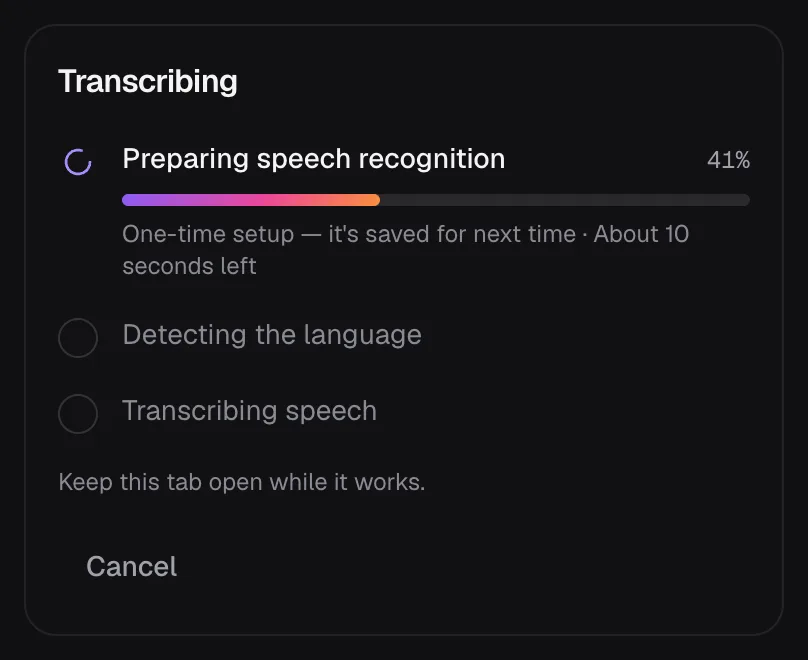
Then the work happens in three steps:
- The sound is cut into windows. Whisper hears at most 30 seconds at a time, so the tool splits the sound into windows of up to 29 seconds, ending each at a pause of a second and a half or at its quietest moment, so that words are rarely cut in two. Near-silence is skipped: Whisper tends to invent text where there is nothing to hear.
- The language is detected from the first window. When the model is less than 75% sure, the tool asks which language is spoken instead of guessing.
- Each window becomes words with times. The copy of Whisper the tool runs reports when every word was said, which is what lets you click a word to hear it and makes subtitles possible.
Not every device gets the same model. Phones, tablets and computers without WebGPU or with 4 GB of memory or less run Whisper base on the processor instead: a 77 MB download, and a model of 74 million parameters against turbo's 809 million. It fits in a phone's memory, but it is a much smaller listener, so expect more to fix. Everything we measured here ran on the laptop.
Our test: ten minutes between Orion and the space station
According to NASA's description, the call took place on April 7, 2026, between the four Artemis II astronauts — Reid Wiseman, Victor Glover, Christina Koch and Jeremy Hansen — and four members of Expedition 74 on the station: Chris Williams, Jack Hathaway, Jessica Meir and Sophie Adenot. NASA edited the video to bring sound and picture back in step and to shorten the gaps the communications delay left, with the signal covering more than 232,000 miles. Mission Control Houston starts the voice checks.
Our copy is a 204.5 MB WebM file, 1920 × 1080, 10 minutes 36 seconds long. It is hard material for any recognizer: radio audio from deep space, four people passing one handheld microphone around, and a vocabulary of call signs and acronyms. We picked it in Video to Text and waited.
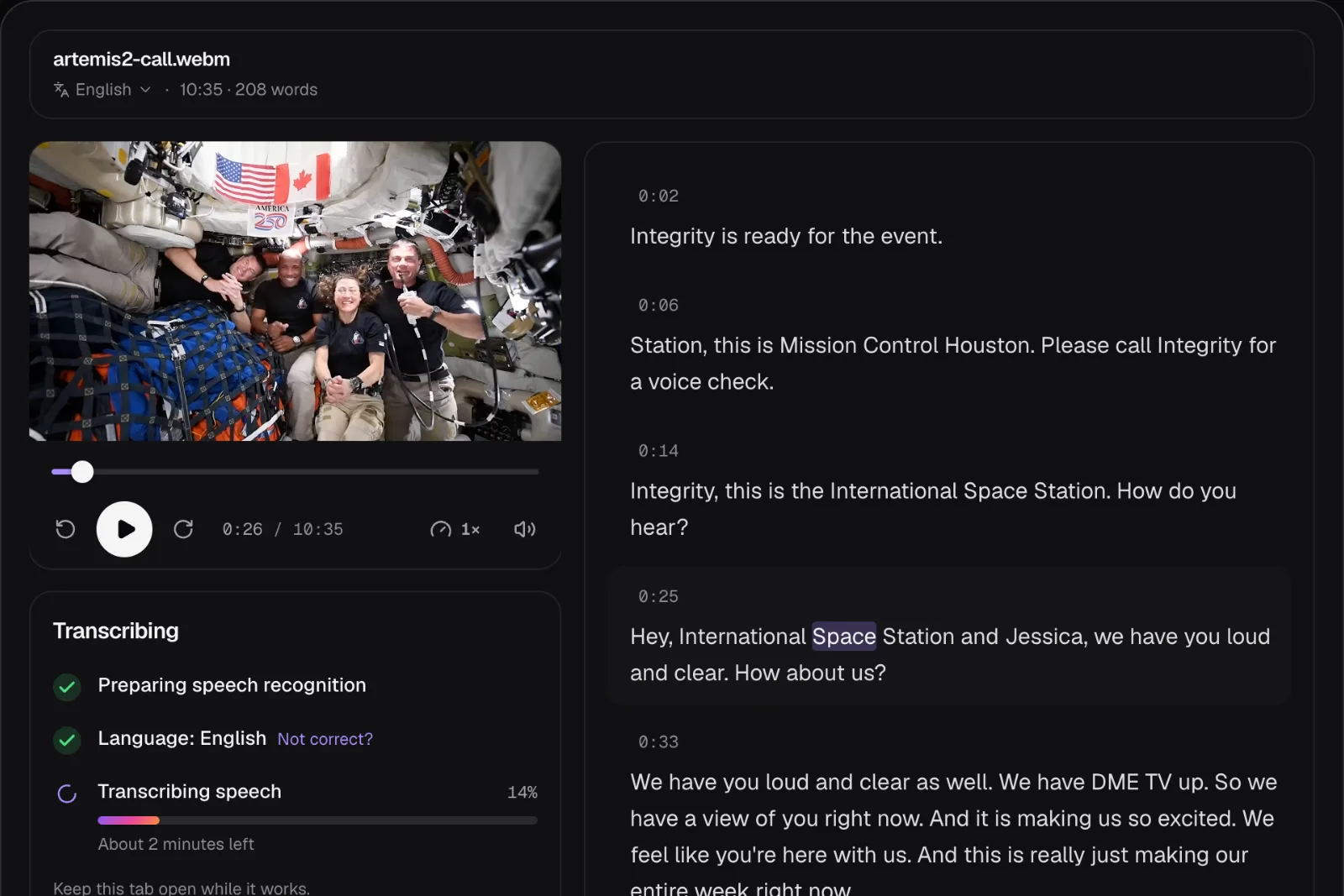
With the model already saved, transcribing the whole call took 1 minute 8 seconds, and identifying the speakers another 1 minute 36 seconds, in Chrome on the MacBook Air (the middle of three runs each). The runs barely varied: 1:08 to 1:09 for the words, 1:36 each time for the speakers. The result: 1,783 words in 36 paragraphs, six speakers, English detected without asking.
What on-device recognition got right
NASA's image library publishes a caption file with the video: 116 captions holding 1,090 words, where the browser's transcript has 1,783. Set beside it, second for second, the transcript reads like a different recording:
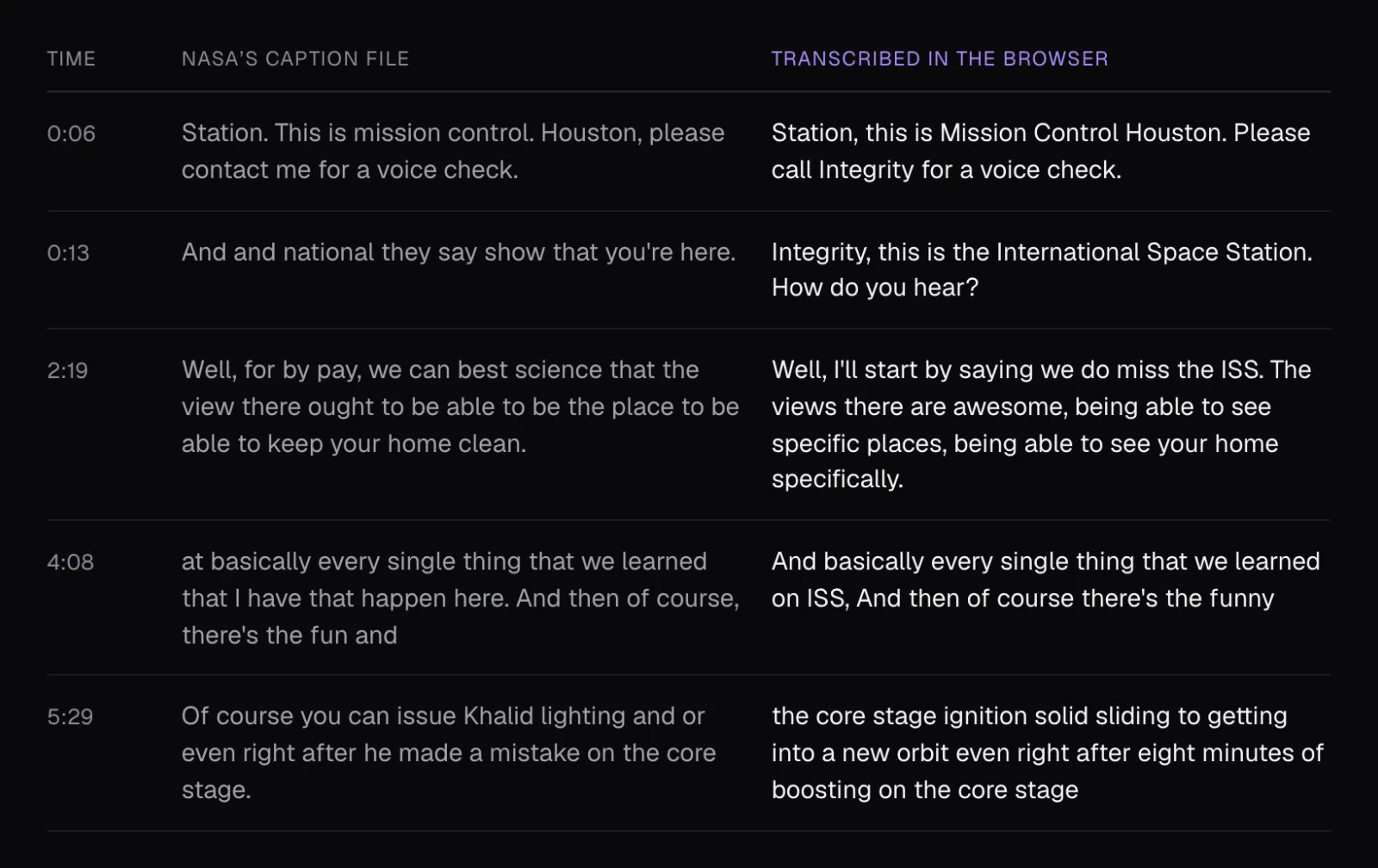
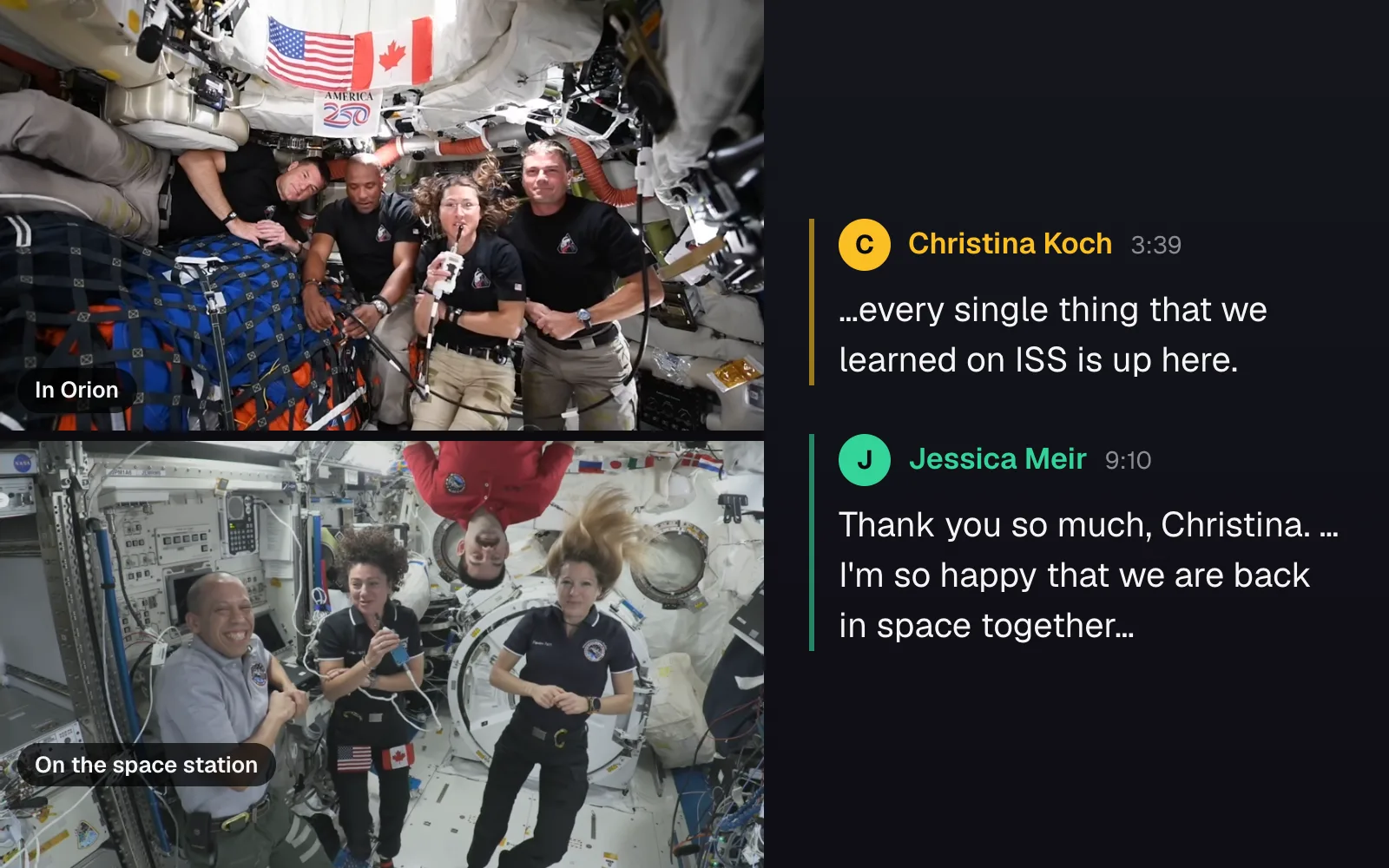
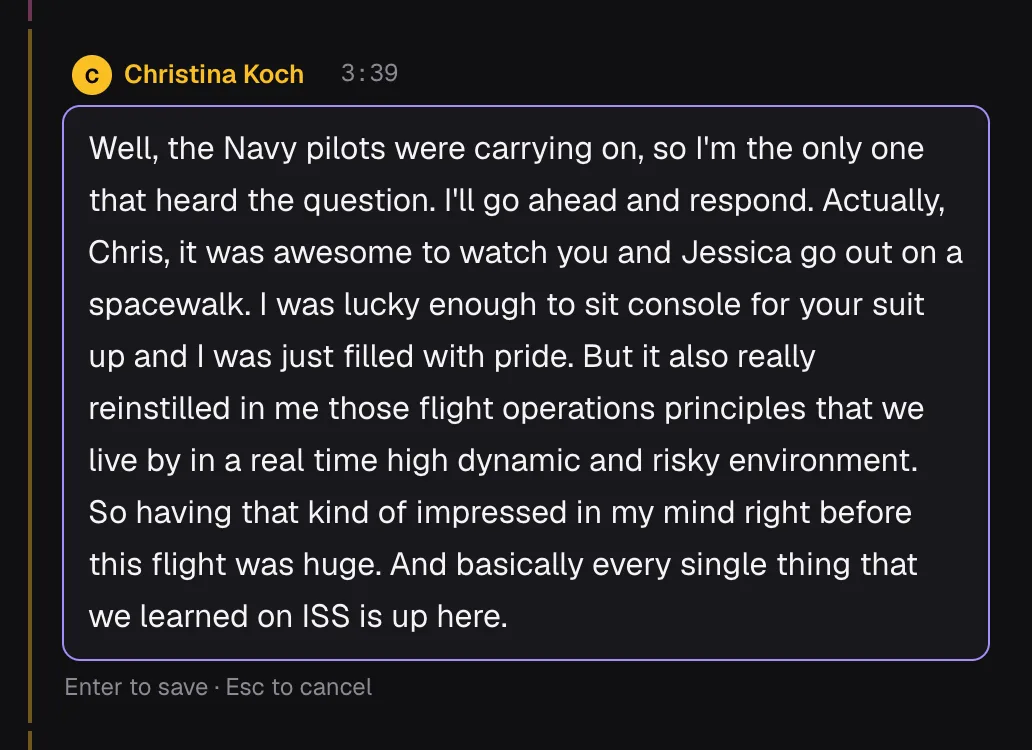
At 0:13 the caption file reads “And and national they say show that you're here.” The browser heard “Integrity, this is the International Space Station. How do you hear?” — the capsule's call sign, the station's full name and the standard radio check. Where NASA's own description quotes a line, Koch's “Every single thing that we learned on ISS is up here,” the caption file has “every single thing that we learned that I have that happen here”, and the transcript has the words up to “on ISS” exactly.
Across the whole call, the transcript got these right:
- Names and call signs. Integrity, Mission Control Houston, and the first names Chris, Jeremy, Victor, Christina and Jessica, spelled as in NASA's list of the crews.
- Jargon. “PFD”, “trans-lunar injection”, “core stage”, “perigee”, “de-conflict”, “TLI-ing”.
- Numbers as they were said. Reading their distance off the display, an astronaut says a figure that changes as he speaks, and the transcript keeps both halves: “We are 201,726, now 25 nautical miles from planet Earth.” A tidier transcript would have to choose; this one leaves the choice to you.
- Punctuation and sentences, almost everywhere, which is what makes a transcript readable rather than a run of words.
What it got wrong, and where to look for it
Reading the transcript against the video, we found these slips. OpenAI's model card warns that Whisper can produce text that wasn't spoken, repeat itself, and do worse with some accents and dialects.
| At | Transcript said | The problem |
|---|---|---|
| 3:39 | “…every single thing that we learned on ISS,” | The sentence's end, “is up here”, is missing |
| 3:39 | “it was awesome. to watch you” | A period in the middle of a sentence |
| 1:26 | “a little bit of a time. a little bit of time” | Words repeated, with a stray period between |
| 5:46 | “because the The difference” | A doubled word |
| 7:11 | “transluer injection burn” | Misspelled, though “trans-lunar” was right at 5:23 |
| 9:41 | “Spacecraft integrity” | The call sign in lower case, capitalized the other four times |
The missing words matter most, because nothing on the page marks the gap: the paragraph just ends on a comma. Stray periods are easier to spot, and the studio interview we used for comparison has one too: “a dream come true. to know that”. A lower-case word right after a period is the giveaway: the recognizer broke a sentence there, and it's worth a listen in case it lost words as well.
Then there are lines that read oddly, where NASA's caption file disagrees too, so neither text settles what was said. In the paragraph at 5:23, the transcript hears the launch as “core stage ignition solid sliding”, the caption file as “Khalid lighting”. Elsewhere it has “fellow chump, Jeremy” and “We have DME TV up”. Treat lines like these as questions: play the second they come from, at 0.75× if needed, and decide.
Who said what: six voices for nine people
“Identify speakers” runs after the words are in. Two small models do the work, a 12.7 MB download between them, and both run on the processor (one has layers that can't run on WebGPU). The first finds up to three voices in every 10-second stretch of sound, a new stretch every 5 seconds. The second turns at least a second of each voice's clean speech into a voiceprint, a list of numbers that describes how the voice sounds. Voiceprints alike enough count as one person. Nobody tells it how many people to expect.
On the call it found six. To check them without listening to every line, we measured which spacecraft the video shows, second by second — NASA's edit cuts between them 56 times — and laid the speakers over it:
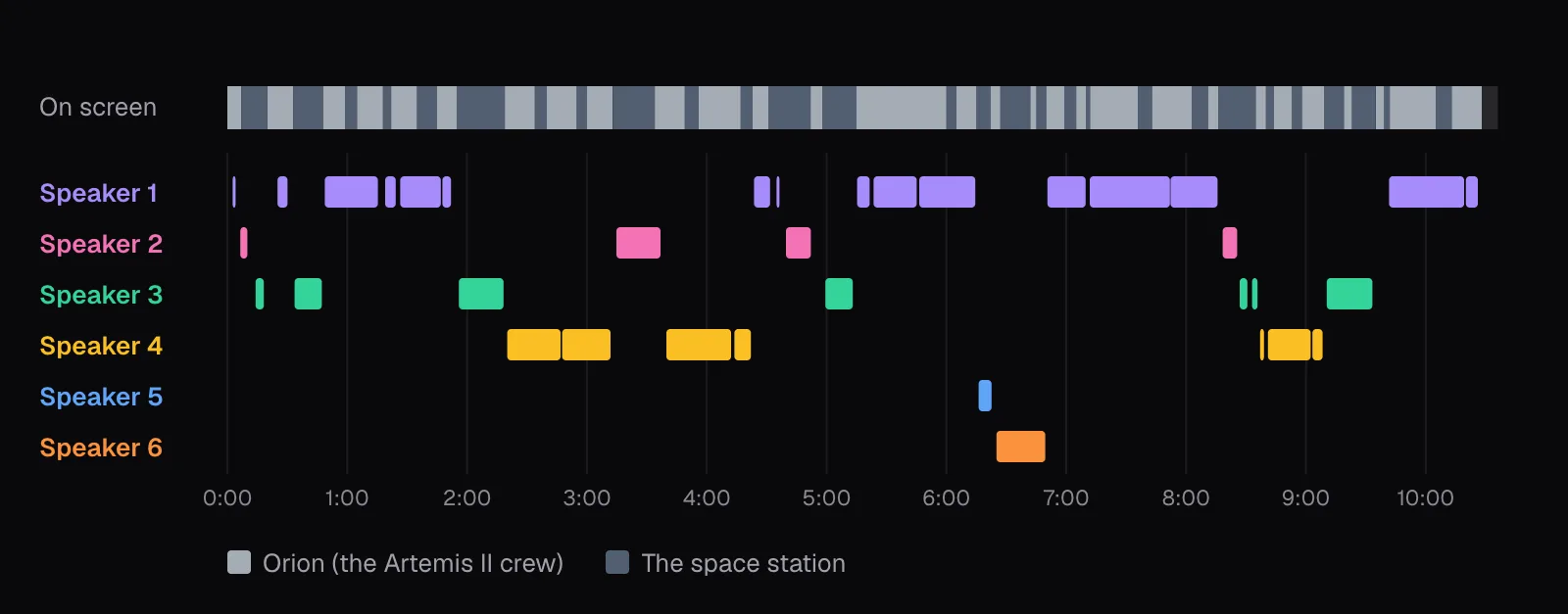
That part held: 79% of Speaker 1's talk and 75% of Speaker 4's fell while Orion was on screen, and 95% of Speaker 3's while the station was (the rest falls mid-sentence, while the edit shows the other crew). So each label stayed with one crew; the trouble was inside each one.
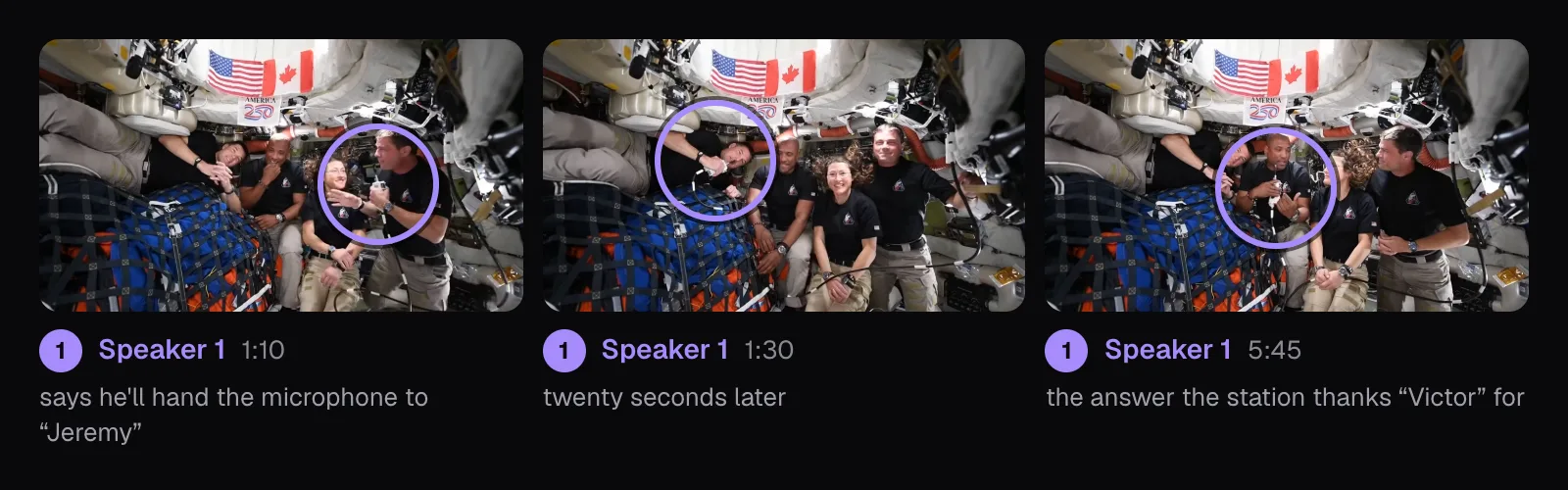
Orion has four astronauts and the tool heard two voices there. Speaker 4 is Christina Koch, the only woman among the four, with 1 minute 46 seconds of talk. Speaker 1 is everyone else: 3 minutes 54 seconds, nearly half of all the talk on the call. The video settles it. During Speaker 1's paragraphs, three different men hold the microphone:
One more merge crossed from the ground to orbit: Mission Control Houston's few seconds at 0:06 went to Speaker 2, an astronaut who later says “it's been an incredible time getting to be here on station”.
Fixing names, speakers and words in the editor
Every fix below happens in the same window as the video, and each is one undo step (Ctrl or ⌘ Z). The transcript saves itself a moment after each change.
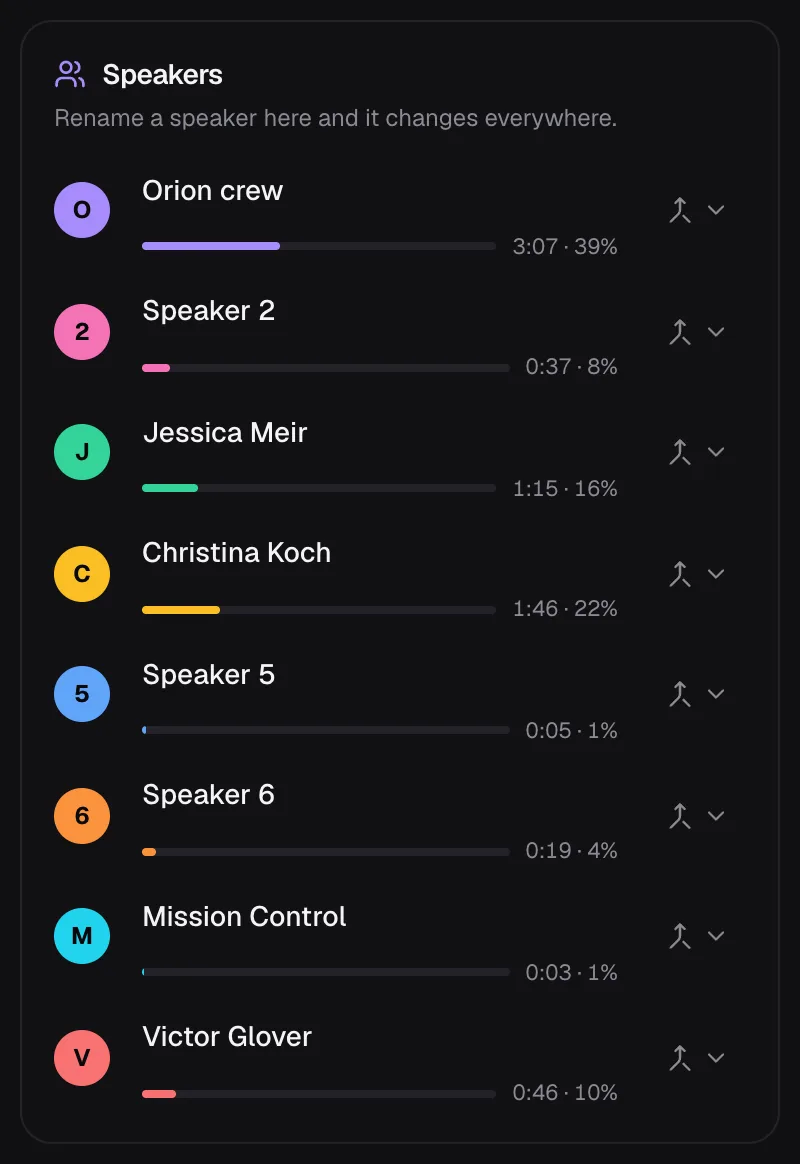
- Rename a speaker in the Speakers panel and the name changes in every paragraph and every download. We named only the voices the conversation itself identifies: Koch says “my Astro sister, Jessica” and Speaker 3 answers “Thank you so much, Christina”.
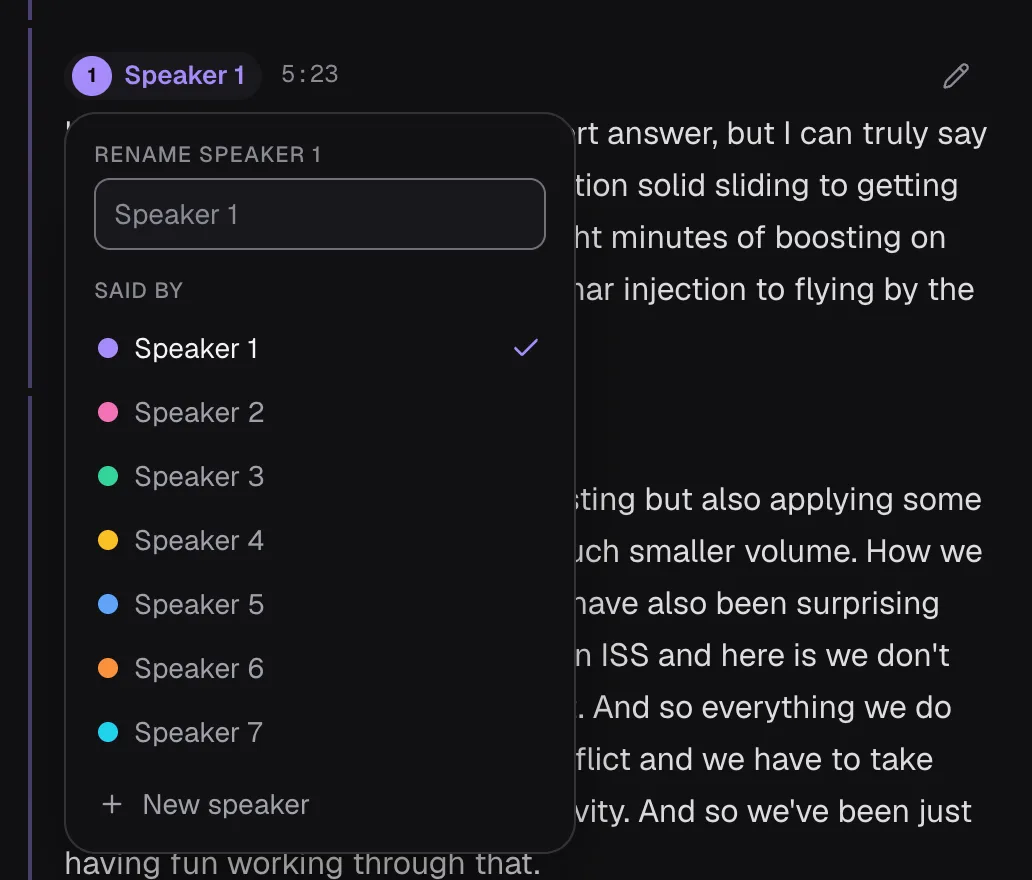
- Move a paragraph to another speaker with its speaker label: “Said by” lists everyone, and “New speaker” adds one. That is how Mission Control got its own label, and how Victor Glover's answer at 5:23 left Speaker 1.
- Join two speakers who are one person with “Same person as…” next to a name.
- Edit a paragraph with its pencil, or a double-click: type, then Enter to save or Esc to cancel. The words keep their timing, so subtitles made afterwards still line up.
For a word that's wrong in several places, use Find (Ctrl or ⌘ F) with “Replace all”. Find ignores capitals, accents and punctuation, and “Replace all” changes exactly what it found. In the studio interview, the host's name came out as “Brandy” twice; the name on screen spells it Brandi:
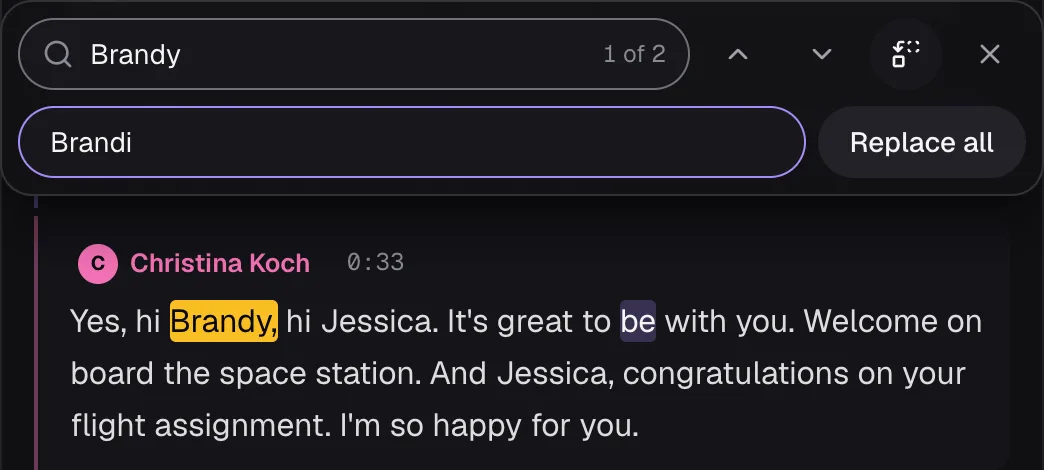
On the call we did the same for “transluer” (one match) and for the call sign: Find matched “integrity” five times whatever the capitals, and replacing them all with “Integrity” fixed the one in lower case without touching the rest. After the fixes, the Speakers panel looked like this:
A cleaner recording, transcribed with the network off
For comparison we used a NASA studio interview from 2019: Brandi Dean asking Jessica Meir and, from the space station, Christina Koch about their missions — the same two astronauts who would talk across more than 232,000 miles seven years later. It is 1 minute 50 seconds of clear studio and station sound, with each person's name on screen.
With the page still open after the call, we switched the browser offline and checked that neither the page nor a worker it started could reach the internet. It transcribed anyway, and “Identify speakers” still ran: the models were already in the browser, and nothing about the job needs a server.
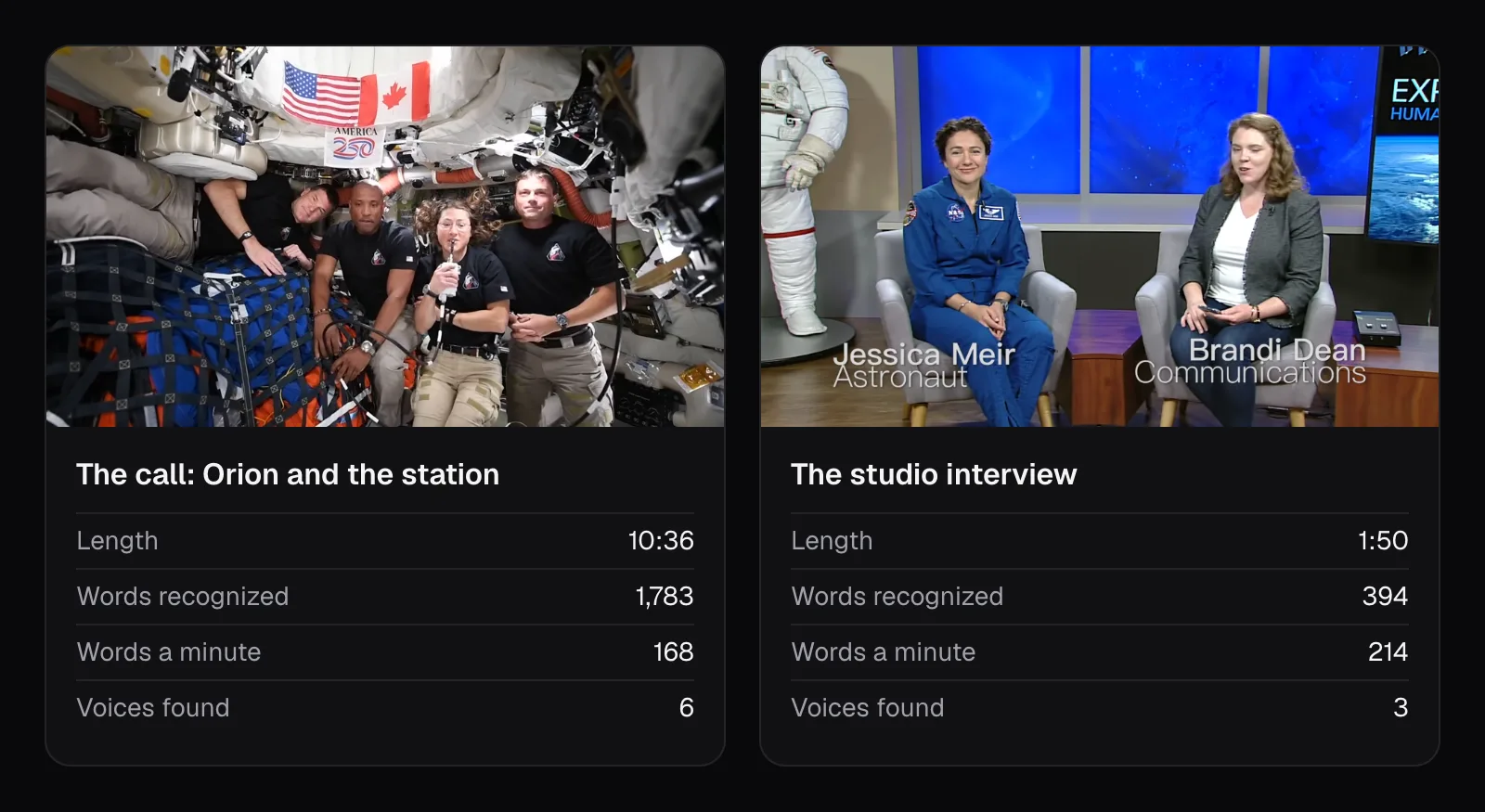
The studio interview came out with three speakers for its three people, each paragraph under the right one, and the only slips we found were the host's name, spelled “Brandy”, and one stray period. All three are women, so this wasn't a matter of telling a high voice from a low one: three clearly recorded voices were told apart, where three men passing one microphone over a radio link were not. Video to Text has no setting for how voices are told apart, so the recording is the part you control. When you record something to transcribe later, give each person their own microphone if you can, keep them from talking over each other, and record close to the speaker rather than across a room.
Downloading the transcript, and which format to use
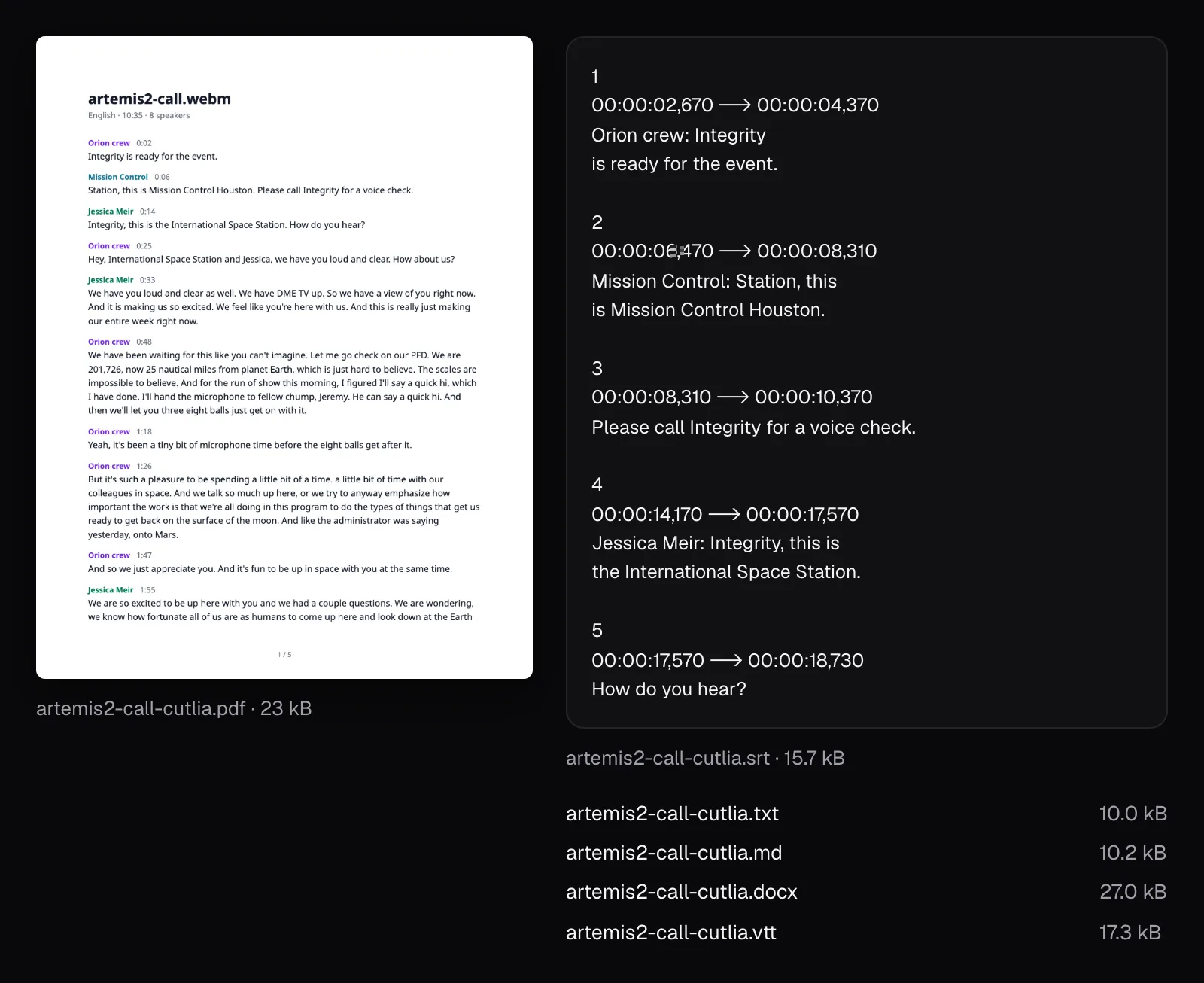
The Download menu makes six files, all on the computer. With speakers named, the call's came to:
- Plain text (.txt), 10.0 kB: one paragraph per block, as “[0:06] Mission Control: Station, this is Mission Control Houston. Please call Integrity for a voice check.” Best for pasting into notes, an email or another tool.
- Word (.docx), 27.0 kB: title, details, a colored name and time over each paragraph, on US Letter pages from the English site. Best for editing further or sending to someone who works in Word.
- PDF, 23.1 kB, 5 pages, with page numbers and fonts for any script: best for a record nobody should edit.
- Markdown (.md), 10.2 kB: for wikis, documentation and note apps that read it.
- Subtitles (.srt and .vtt), 15.7 and 17.3 kB: captions of up to two lines of 42 characters, never mixing two speakers. SRT puts the speaker's name before the first caption of each paragraph; VTT tags every caption with its voice. The call made 175 of them.
Which tool to start from:
- A video file (MP4, MOV, MKV, AVI and more): Video to Text, or MP4 to Text, the same tool with its page for MP4s.
- A voice memo, a podcast or another sound file: Audio to Text, the same editor, opened for sound.
- Speech in another language: transcribe it in the original, then “Translate to English” in the same editor, or start from Translate Video to English.
- Captions on the video itself: “Make captions” hands the corrected transcript to Auto Subtitles without transcribing again. Our guide to SRT, VTT and burned-in captions explains which kind to choose.
Whichever you use, read the transcript once with the video playing before it goes anywhere: names, numbers, any lower-case word after a period, and every speaker label. The same call, cut into vertical clips by the AI Clip Maker, is the test in What makes a moment from a long video work as a short clip?.
The tools in this guide
Video to Text
Transcripts in 100 languages, with speakers and timestamps — made on your device, never uploaded.
Audio to Text
Podcasts, interviews, voice memos and lectures in 100 languages — transcribed on your device.
MP4 to Text
A transcript of any MP4 — phone videos, screen recordings, meetings and talks.
Questions people ask
Can I transcribe a video without uploading it anywhere?
Yes, with a tool that runs speech recognition in your browser. Video to Text downloads its speech model once, then transcribes on your computer: in our test the 204.5 MB video, its sound and its transcript never left the laptop, and a second video transcribed with the network switched off.
How accurate is speech recognition that runs in the browser?
On a computer with WebGPU and more than 4 GB of memory, Video to Text runs OpenAI's Whisper large-v3-turbo. On our ten-minute call it got names and jargon right where NASA's published caption file failed, but among its slips it still dropped the end of one sentence, left two stray periods and misspelled one word. Phones get Whisper base, a model about a tenth the size, so expect more to fix.
Why does my transcript put two people under one speaker?
Speaker identification groups voices that sound alike. People sharing one microphone, a phone line or a video call can sound alike enough to merge: three men in Orion became one speaker in our test. Fix it with “Said by” on each paragraph, or rename the merged speaker honestly.
How long does it take to transcribe a 10-minute video?
Once the speech model is saved, our 10 minute 36 second call took 1 minute 8 seconds in Chrome on a MacBook Air with an Apple M5, and identifying its speakers 1 minute 36 seconds more. The first visit adds the speech model's 563.9 MB download. Phones run a smaller model on the processor, so their times differ.
Does Video to Text work offline?
The transcribing itself needs no connection. With the page open after a first transcription and a first speaker identification, we switched the browser offline, then transcribed a 1 minute 50 second interview and identified its speakers. You do need the internet to open the page and, the first time, to download the speech and speaker models.
Sources
Where the facts in this guide come from, besides our own tests:
- Artemis II and Space Station Expedition 74 Astronauts Call in Space — NASA Image and Video Library
- Caption file of “Artemis II and Space Station Expedition 74 Astronauts Call in Space” — NASA Image and Video Library
- Whisper large-v3-turbo model card — OpenAI on Hugging Face
- WebGPU API — MDN Web Docs
Footage in this guide
The pictures were made with Cutlia's tools from this openly licensed footage, found on Wikimedia Commons:
- Artemis II and Space Station Expedition 74 Astronauts Call in Space (jsc2026m000083) — NASA Johnson Space Center, Public domain
- Astronauts Koch and Meir React to International Space Station Mission Updates — NASA, Public domain