Sizes and sharing
How small can a video get before you can see the difference?
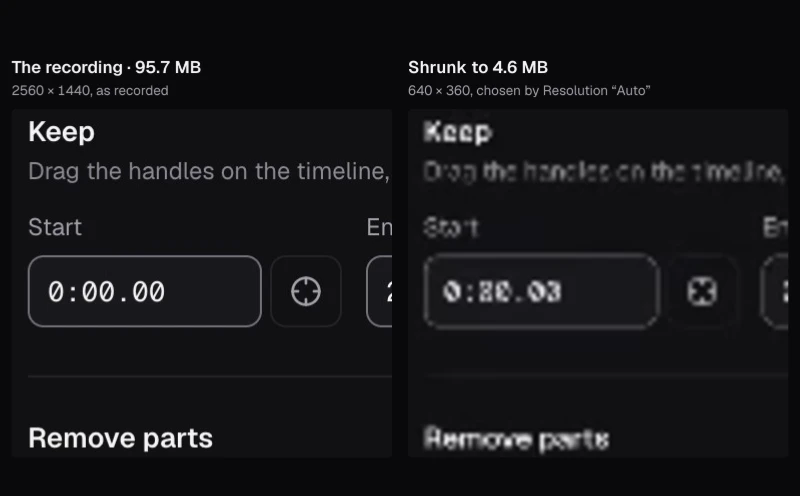
We compressed coral filmed about 350 meters down and a fireworks show to half their size, then half again, and compared every file with the original, down to the actual pixels.
By the Cutlia team · Published · 16 min read
The short version
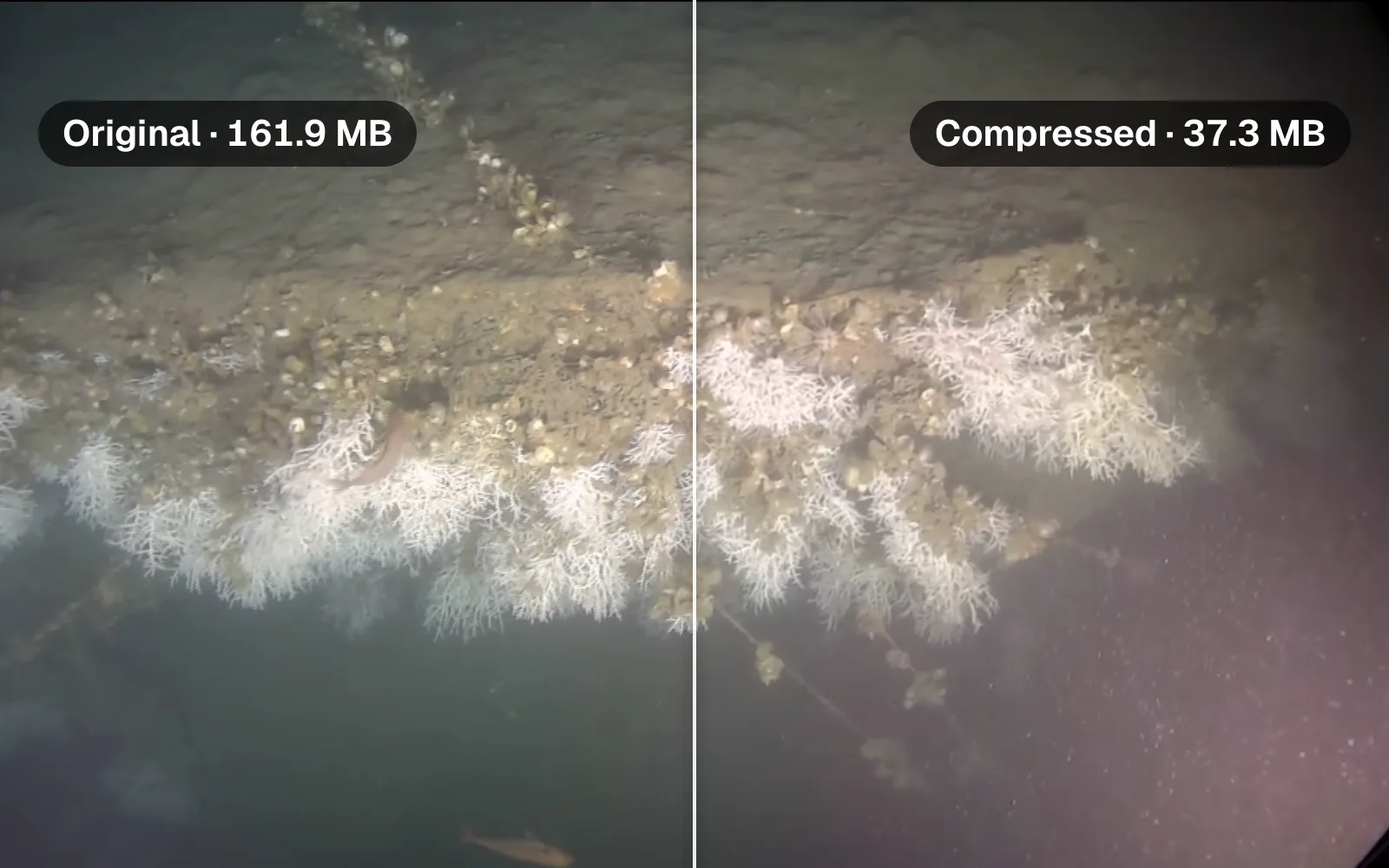
- When the original has bits to spare, the first halving is close to free: our 161.9 MB coral video at 74.6 MB, still 1080p, showed the coral unchanged at actual pixels; only a few of the faintest particles in the water were gone.
- Each halving after that saves half as many megabytes as the one before, while the picture it costs shrinks far more slowly, so the last ones cost the most: per megabyte saved, the fifth cost more than eight times as much picture as the first.
- A video that was compressed hard before can show loss at once: our fireworks got blocky smoke at 70% of their size.
- Cut first, then compress: 45 seconds of the corals at 20 MB stayed 1080p, while all 3 minutes 35 seconds at 20 MB came out 854 × 480.
- Compress once, from the original: a 20 MB file made into a 10 MB one kept only about as much of the picture as a single compression to half that size.
Every video you have is already compressed. By MDN's count, one 1080p frame stored in full color takes 8,294,400 bytes. Stored that way, the three and a half minutes of coral footage we used here would fill about 44.6 GB; the file we downloaded is 161.9 MB. Somewhere between the camera and you, more than 99.6% of the data was thrown away, and the picture still looks good. Compressing it again means deciding what else can go.
Where that line falls depends on what's in the picture, so we tested two that could hardly be more different. One is deep-sea coral filmed by a research submarine: a mass of fine white branches, shells, fish and murky blue-green water. The other is a fireworks show: thin sparks on a black sky and drifting smoke, a picture that changes a great deal from one frame to the next. We made each one smaller with Cutlia's Compress Video, every file about half the size of the one before, and measured how much of the original picture each one kept.
What a compressor throws away
An encoder doesn't store a video as a stack of photos. It stores a complete picture now and then (Compress Video's files get one every two seconds), and for each frame in between it records what moved and what changed. MDN's guide to web video codecs describes the method as “comparing frames, finding where they differ”. Each frame is worked on in small blocks, and the detail inside every block is written down more or less precisely. The bitrate, the number of bits the file may spend each second, decides how precisely.
When bits run short, the encoder keeps the broad shapes and colors and rounds off the fine detail, because that changes the picture least for the bits it saves. MDN names what that does to a picture:
- Loss of sharpness: fine texture, a few pixels wide, turns soft, then smears.
- Contouring, or banding: a gentle gradient breaks into visible steps, which MDN puts down to “too coarse a quantization”.
- Ringing and mosquito noise: stray pixels gather around sharp edges, steady in one case, shimmering in the other.
- Posterizing: the color detail in gradients is lost, and the image “becomes blocky, with blobs of color that approximate the original appearance”.
Our two videos are hard in different ways. The corals are texture from edge to edge, over water full of drifting particles; MDN notes that noise “introduces variability”, and that variability generally makes compression more difficult. The fireworks are mostly black, crossed by bright lines that are gone a moment later. In MDN's words, the more successive frames differ, “the less effective the compression is at avoiding the introduction of artifacts”, and in a fireworks show almost nothing stays where it was.
What each of Compress Video's goals does
Compress Video plans a file before it encodes anything, and the plan sets three things: the picture's size, its frame rate and its bitrate. The planner works in bits per pixel, the picture's bitrate shared out over every pixel of every frame, because that, more than the bitrate on its own, decides how much detail each part of the frame can keep. These are its rules, from the tool's code:
| Goal | Picture size | Frame rate | Picture bitrate | Sound |
|---|---|---|---|---|
| “Smaller, same look” | Kept | Kept | 0.07 bits per pixel; the whole file at most 70% of the original's bitrate | 128 kbit/s |
| “Smallest file” | 720p at most | 30 fps at most | 0.04 bits per pixel; at most 50% of the original's bitrate | 96 kbit/s |
| A size: “Custom size”, Discord, WhatsApp, Email | The largest standard size that still gets 0.05 bits per pixel | 30 fps at most | 95% of the size, spread over the length, less the sound; at most 85% of the original's bitrate | 128, 96, 64 or 48 kbit/s, less as the size gets tight |
With Resolution on “Auto”, the size goals step down from the original's picture size through the standard sizes below it (1440p, 1080p, 720p, 540p, 480p and 360p) and stop at 240p. Choose a resolution yourself and every goal plans for it. The bits-per-pixel figures are for H.264, the codec that “Plays everywhere”; the planner expects HEVC to need 60% of them and AV1 55%.
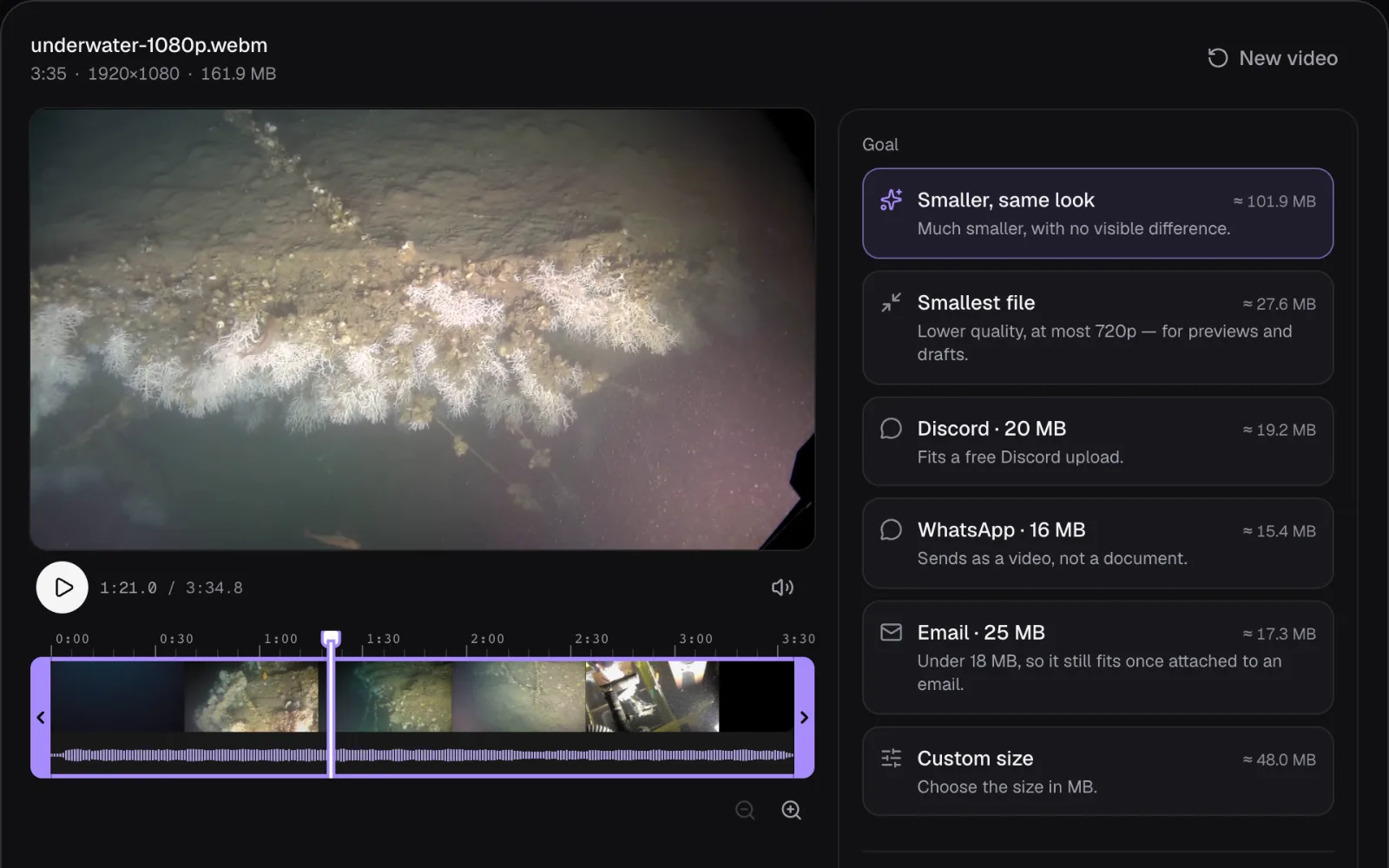
Two more rules matter at the small end. With a size goal, below 0.05 bits per pixel the editor says “It will look a little soft at this size.”, and below 0.035, “That's a lot of video for this size, so it will look blocky.” The other two goals show neither note. And when a file comes out bigger than the size asked for, because encoders only approximate a bitrate, Compress Video makes it again with a lower picture bitrate, up to twice; the second time it also shrinks the picture by a quarter each way. The arithmetic behind the plan is in our guide to bitrate, resolution and file size.
The test: two videos, halved again and again
The corals were filmed in 2019 by the Ariane submarine of the French Oceanographic Fleet, in the Lacaze-Duthiers canyon off Banyuls-sur-Mer, about 350 meters down, according to Ifremer's description of the footage on Wikimedia Commons. Our copy is 161.9 MB: 3 minutes 35 seconds of 1920 × 1080 at 25 frames per second, its VP9 picture at 5.9 Mbit/s, which comes to 0.11 bits per pixel.
The fireworks were filmed close up at a Lunar New Year celebration in Zhongshan, China, in February 2026. The file we used is the 1080p copy Wikimedia Commons makes of the 4K original: 31.0 MB for 1 minute 15 seconds at 24 frames per second, 3.2 Mbit/s, 0.064 bits per pixel. It had been squeezed much harder than the corals before we touched it.
We opened each video in Compress Video and made a ladder of files, with Resolution left on “Auto” and the codec on H.264: “Smaller, same look”, then “Custom size” at about half the original's size and half again at every step (80, 40, 20, 10, 5 and 2.5 MB for the corals; 15, 8, 4, 2 and 1 MB for the fireworks), and “Smallest file” where it fell. Every file was made in Chrome on a MacBook Air with an Apple M5 chip, on the laptop itself.
Then we measured how much of the original picture each file kept. At twelve moments spread through each video we took the frame from both files, enlarged the smaller picture to 1920 × 1080 as a player does on a full-HD screen, and compared the two with SSIM, the structural similarity index of Wang, Bovik, Sheikh and Simoncelli (2004). Its authors built it on the idea that human vision is “highly adapted for extracting structural information from a scene”, so rather than comparing pixels one by one, it compares small neighborhoods of the two pictures for their brightness, their contrast and their structure, the pattern of light and dark inside them. We ran it on each picture's brightness, with the settings of their paper (an 11 × 11 Gaussian window with a standard deviation of 1.5 pixels, and the constants K1 = 0.01 and K2 = 0.03), then averaged the scores over the frame and over the twelve moments. A score of 1 means identical.
| Corals: goal | File | Picture | SSIM |
|---|---|---|---|
| The original | 161.9 MB | 1920 × 1080 | 1 |
| “Smaller, same look” | 98.8 MB | 1920 × 1080 | 0.967 |
| Custom size, 80 MB | 74.6 MB | 1920 × 1080 | 0.961 |
| Custom size, 40 MB | 37.3 MB | 1280 × 720 | 0.940 |
| “Smallest file” | 27.0 MB | 1280 × 720 | 0.931 |
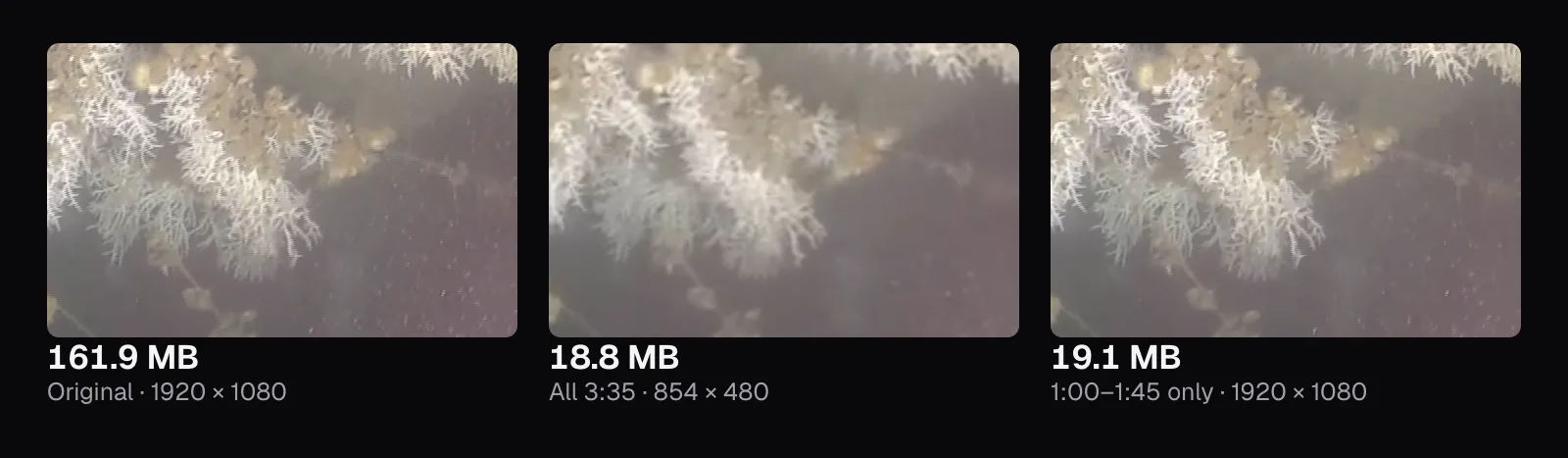
| Custom size, 20 MB | 18.8 MB | 854 × 480 | 0.887 |
| Custom size, 10 MB | 9.6 MB | 480 × 270 | 0.870 |
| Custom size, 5 MB | 5.2 MB | 320 × 180 | 0.853 |
| Custom size, 2.5 MB | 4.0 MB | 320 × 180 | 0.830 |
| Fireworks: goal | File | Picture | SSIM |
|---|---|---|---|
| The original | 31.0 MB | 1920 × 1080 | 1 |
| “Smaller, same look” | 21.6 MB | 1920 × 1080 | 0.967 |
| Custom size, 15 MB | 14.2 MB | 1280 × 720 | 0.954 |
| “Smallest file” | 9.2 MB | 1280 × 720 | 0.940 |
| Custom size, 8 MB | 7.6 MB | 960 × 540 | 0.935 |
| Custom size, 4 MB | 3.8 MB | 640 × 360 | 0.902 |
| Custom size, 2 MB | 2.0 MB | 320 × 180 | 0.864 |
| Custom size, 1 MB | 1.9 MB | 320 × 180 | 0.854 |
A single number can't say what you'll notice, so we looked too: every crop below is the same part of the frame, at the actual pixels of a 1080p screen.
The first halving is almost free
“Smaller, same look” made the corals 39% smaller and kept them at 1920 × 1080: 98.8 MB, with the picture at 3.5 Mbit/s instead of 5.9. Asked for 80 MB, Compress Video made 74.6 MB, still 1080p, under half the original. We put both next to the original at actual pixels and found no change in the coral: the white branches have the same tips, the shells the same edges. Only some of the faintest particles drifting in the water have gone, and we noticed that only by looking for it.
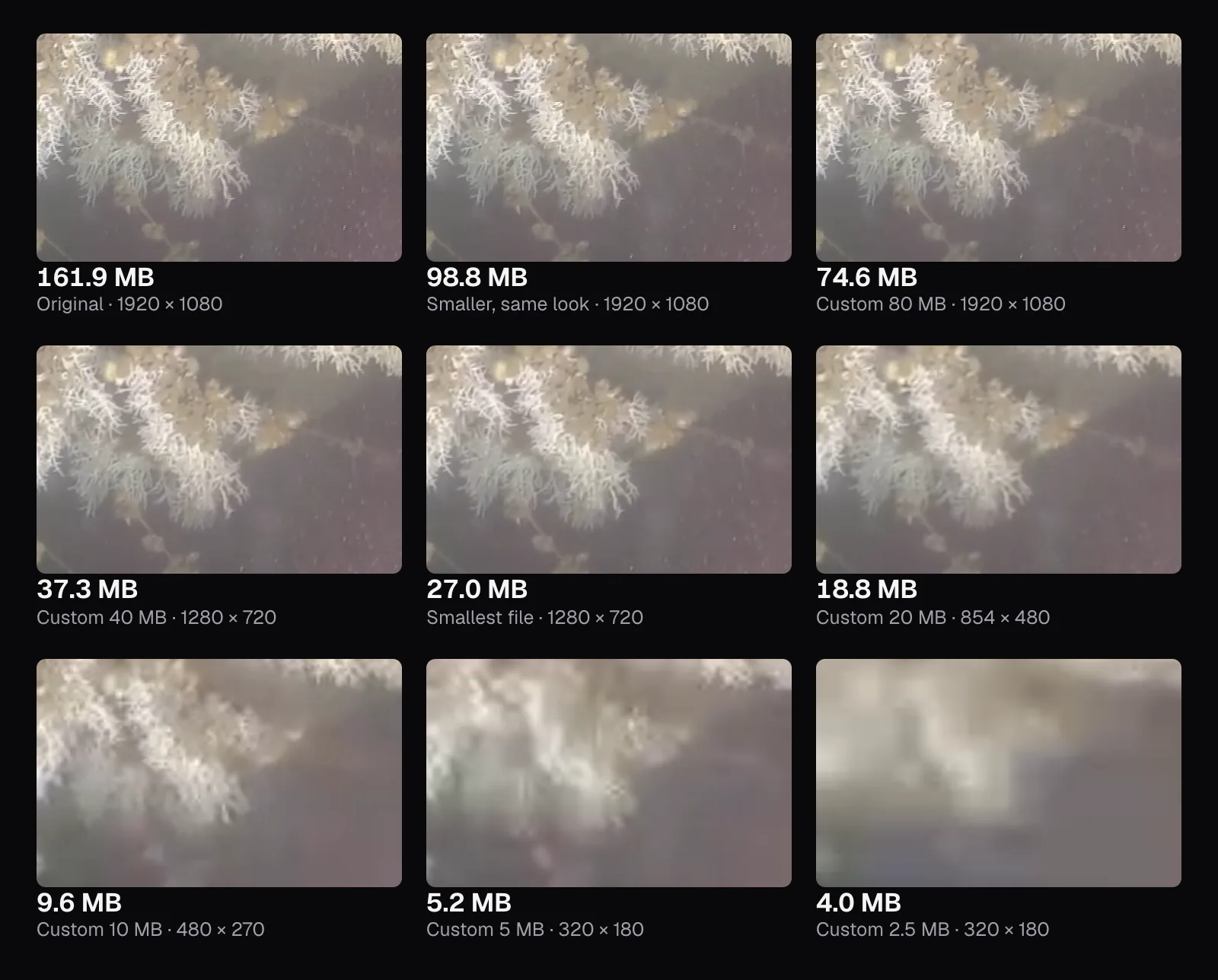
That first halving is cheap because the original had bits to spare. It spent 0.11 bits per pixel; the planner calls 0.07 clean, and the 80 MB file got 0.05. The first thing we saw go was the faintest particles, the kind of random detail MDN says makes compression harder. SSIM registers every change, and even the first file scores 0.967 rather than 1, though in the coral itself we couldn't see one.
From there, each halving shows. At 37.3 MB, Auto made the picture 1280 × 720, and the finest branches turned slightly soft, visible at actual pixels if you look for it. At 18.8 MB and 854 × 480 they blur into tufts, and at 9.6 MB the coral is a smear. The bottom two files, 5.2 and 4.0 MB, are pale blocks, and both missed their targets, for a reason we come to below.
Fireworks show the loss at once
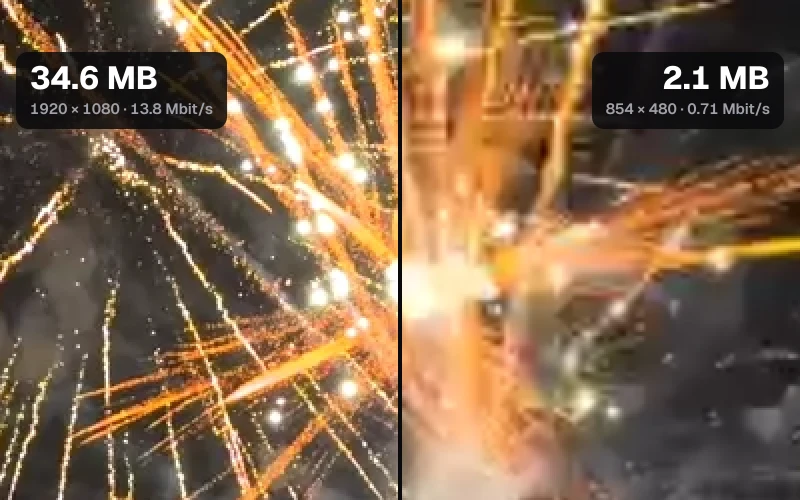
The fireworks had no bits to spare. Their file spent 0.064 bits per pixel to begin with, under the 0.07 that “Smaller, same look” aims for, so the goal's other rule took over: never more than 70% of what the original spends. The 21.6 MB it made, 30% smaller, kept 1080p but gave the picture 0.044 bits per pixel, below the planner's own line for softness; with no size goal set, the editor showed no note. At actual pixels the smoke breaks into blocks, and the sparks' grainy trails turn into smooth strokes.
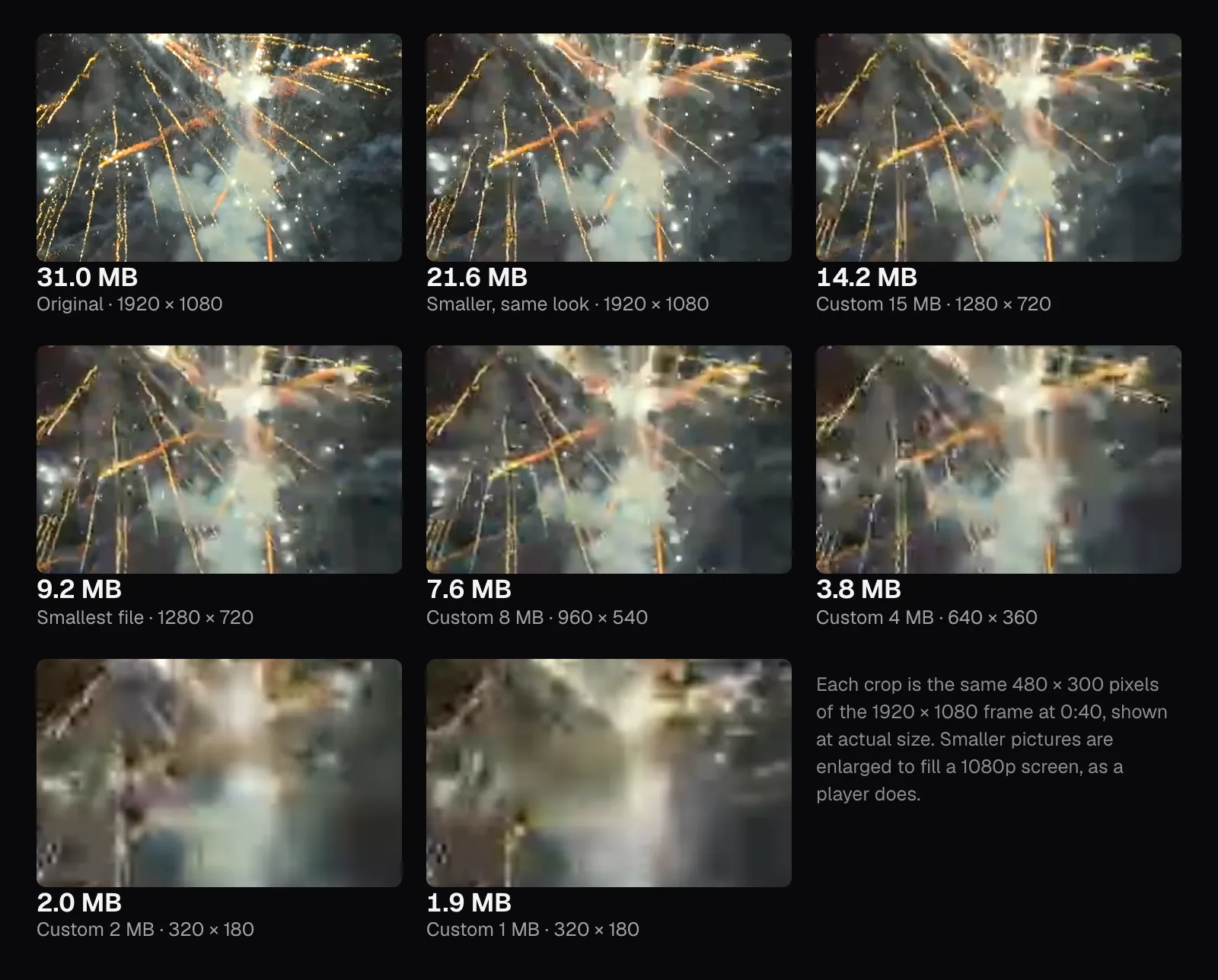
Every step after that shows too: at 14.2 MB and 720p the sparks soften, at 7.6 MB and 960 × 540 the smoke smears into patches, and at 3.8 MB and 640 × 360 a spark is a smudge of orange. Over whole frames the SSIM scores fall about as fast as the corals' did, but a whole frame of fireworks is largely dark sky, and the damage sits in the bright, busy part you're looking at: in the crop above, the first file scored 0.812, where the corals' first file scored 0.943 in theirs.
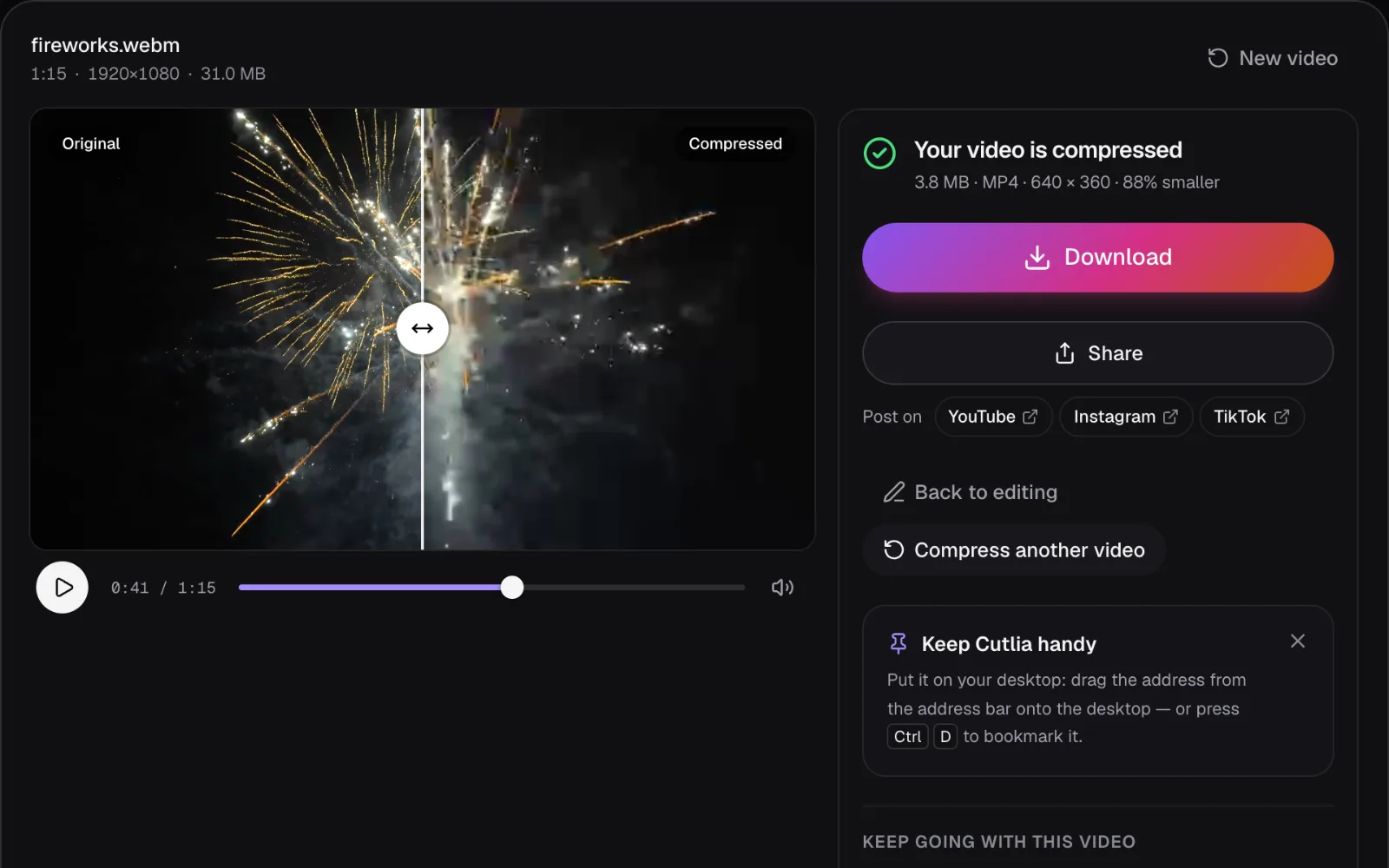
So the first halving is free only when the original was generous. Start from the most original file you have, the one from the camera or phone, not a copy that has already been through an app, a website or someone else's compressor.
Why the later halvings cost more than the first
Plot what each file kept against its size and the shape is the same for both videos: a gentle slope across the big files, then a steep fall at the small end.
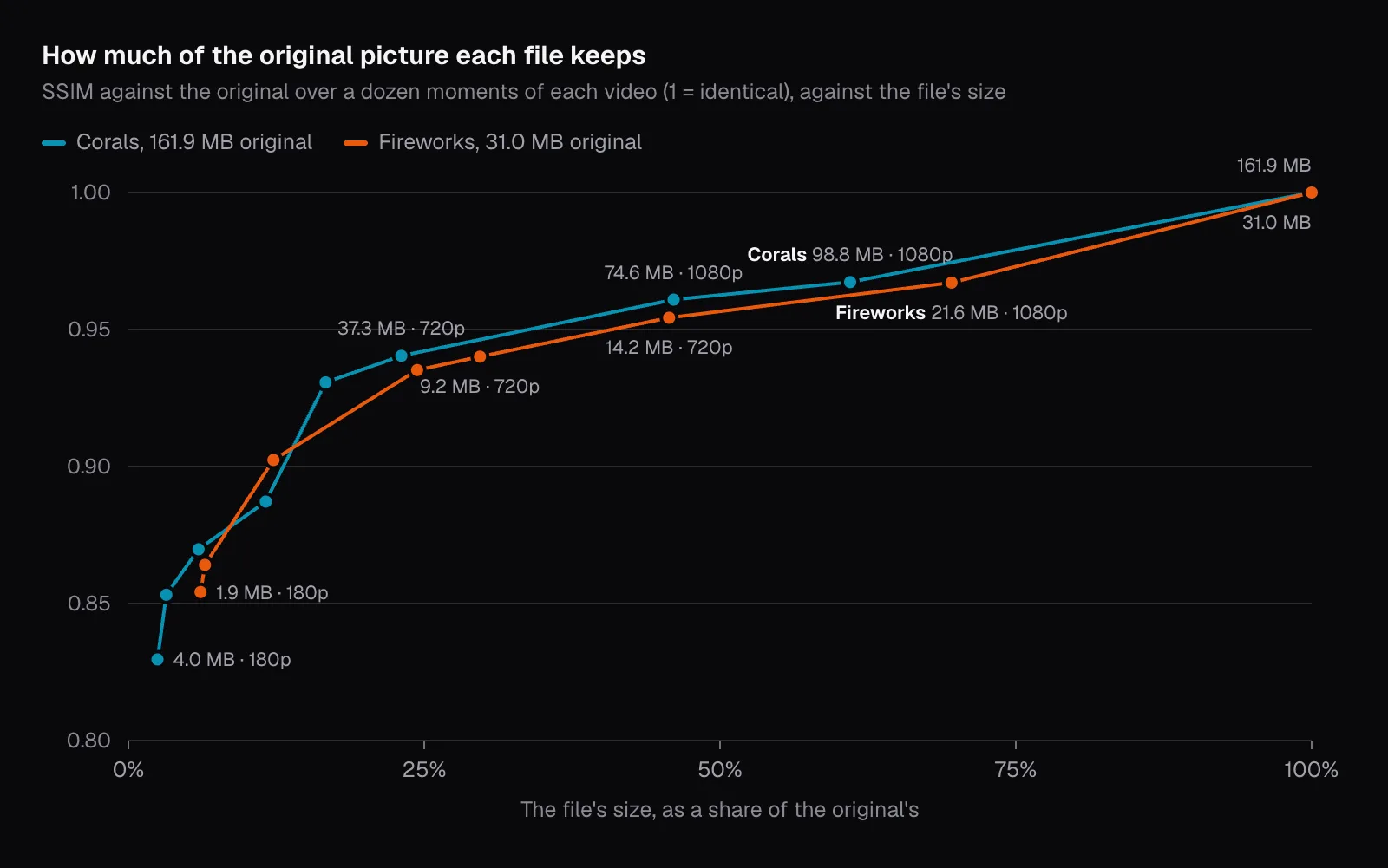
Two things make that shape. The first is plain arithmetic: each halving saves half as many megabytes as the one before. Down the corals' ladder the halvings saved 87.3, 37.3, 18.5, 9.2 and 4.4 MB, while the SSIM each one cost stayed between 0.017 and 0.053. Per megabyte saved, the fifth halving cost more than eight times as much picture as the first.
The second is what's left to take. Once the spare bits are gone, Auto keeps each pixel at 0.05 bits or a little more by shrinking the picture instead: 1080p, then 720p, then 480p, each step dropping more than half the pixels. Those are real detail, not noise, and an enlarged 480p picture can't put them back.
At the very bottom, our test hit a limit. The tightest size goals plan the sound at 48 kbit/s, but in Chrome on our Mac the sound came out at about 125 kbit/s. From the 10 MB coral file down, every file came out too big at first, and Compress Video's retries took the difference out of the picture: the 10 MB file, planned at 640 × 360, ended at 480 × 270. In the 5 MB file the sound took 3.4 MB, nearly two thirds of it; the picture was squeezed to 320 × 180 and 66 kbit/s, and still the file finished at 5.2 MB. The fireworks' two smallest files went the same way.
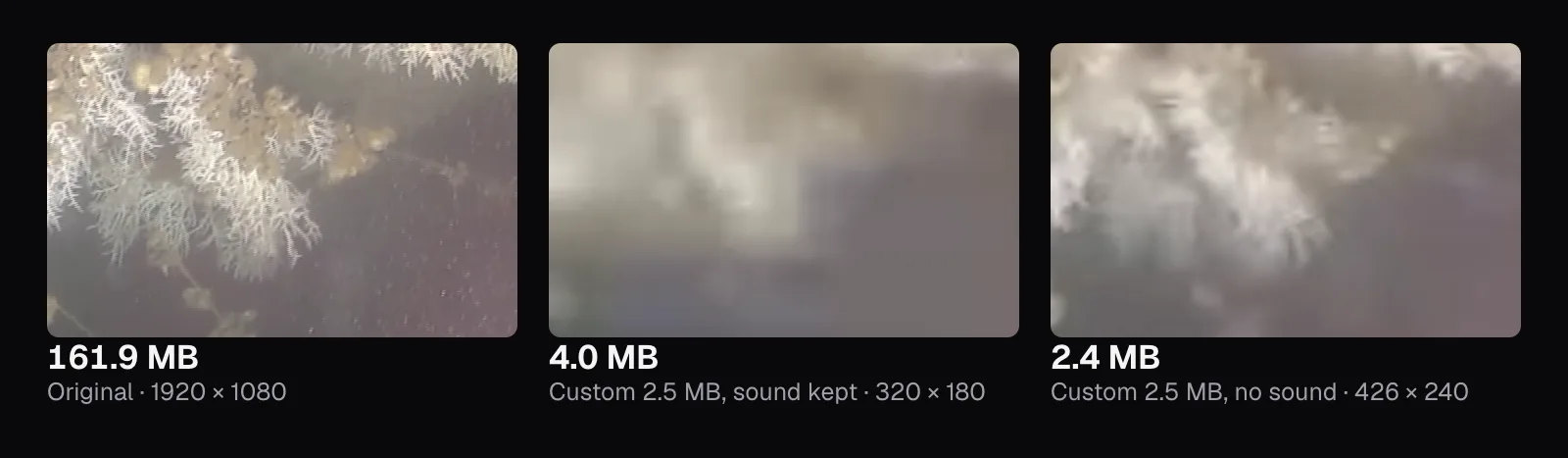
At 2.5 MB the corals came out 4.0 MB, with the message “This video couldn't get under 2.5 MB — it's 4.0 MB. Try a shorter part or a lower resolution.” With “Keep the sound” off, the same goal fit: 2.4 MB at 426 × 240, the picture with 87 kbit/s to itself. It also kept more of the picture than the 4.0 MB file with sound, 0.842 against 0.830.
Keeping 1080p at a small size: when it helps
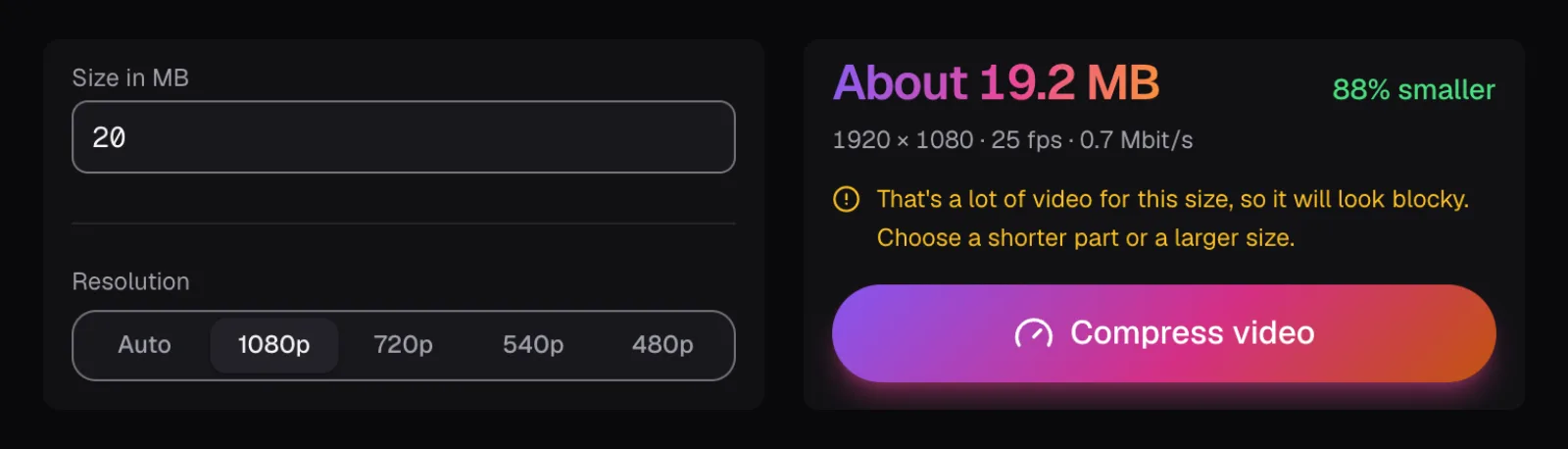
Auto gives up pixels before it lets bits per pixel fall under 0.05. That's a cautious rule, and it's worth knowing where it's too cautious. We made the corals 20 MB again with Resolution set to 1080p. The editor warned that it would look blocky: 0.64 Mbit/s of picture spread over 1920 × 1080 at 25 frames a second is 0.012 bits per pixel.
Where we looked, it didn't. The 19.0 MB file scored 0.904 against Auto's 0.887, and in the crop it's plainly sharper than the 854 × 480 file, though the drifting particles are gone. The coral footage changes slowly, and when little changes from one frame to the next, an encoder can describe most of each frame by pointing back to the last one and spend its few bits on the rest.
The fireworks show the other side. Asked for 4 MB at 1080p, 0.007 bits per pixel, the encoder didn't get anywhere near that: two retries later, the last at 1440 × 810, the file was 8.4 MB, its picture at 0.83 Mbit/s where the plan had 0.34. That's more than twice the size asked, and Compress Video said it couldn't get under 4 MB. Auto's 3.8 MB at 640 × 360 met the target.
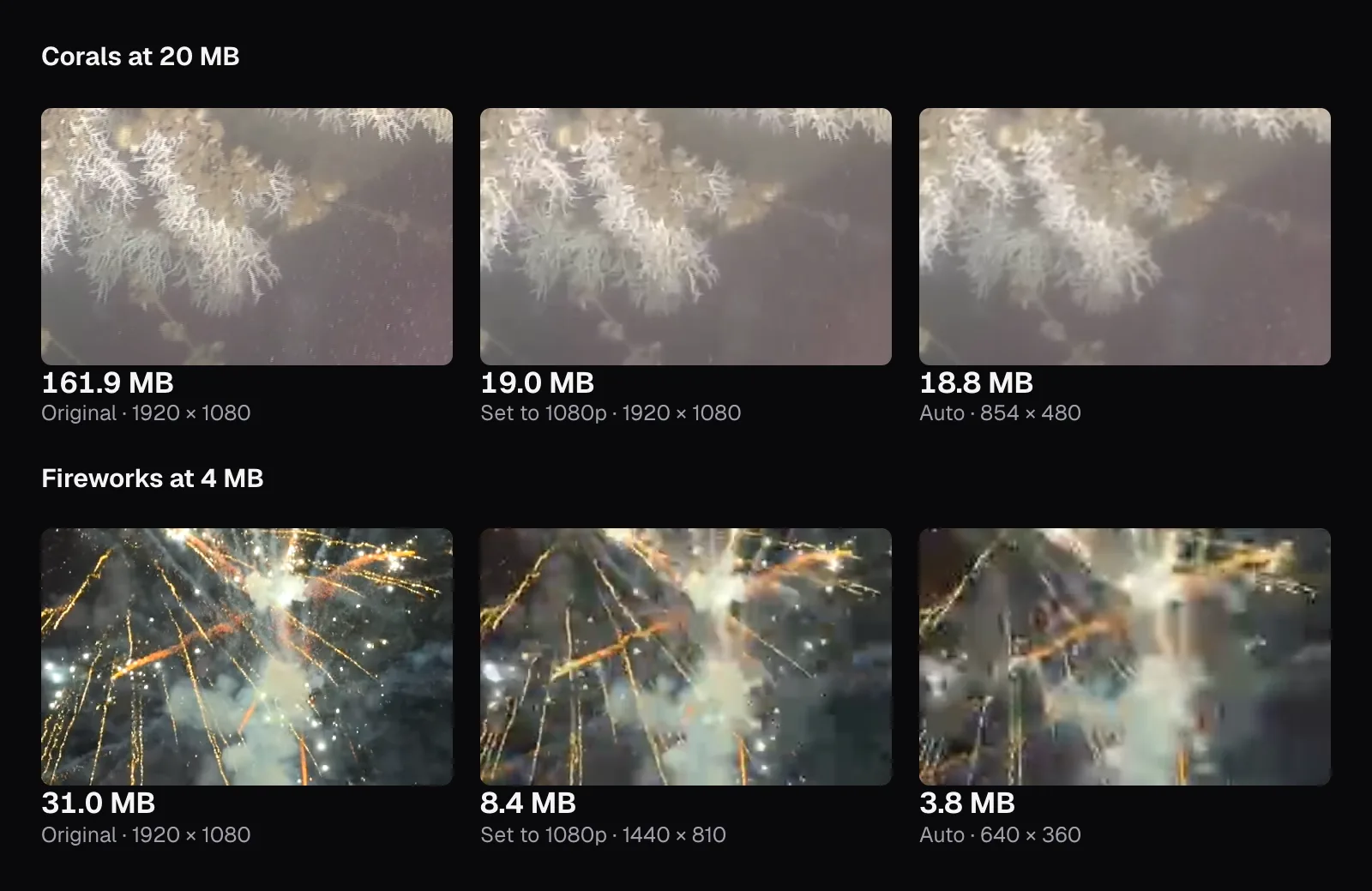
For calm footage like the corals, where little changes from frame to frame, it's worth trying one size larger than Auto chooses and comparing the two on the result screen. For anything fast, Auto is the safer call.
Trim first, and compress only once
Length is the cheapest thing to give up, because it costs no picture at all. We gave Compress Video the same 20 MB goal for 45 seconds of the corals, 1:00 to 1:45, set in its “Part of the video” fields. About a fifth of the length gave the picture about five times the bits per second, 3.3 Mbit/s instead of 0.63: the file came out 19.1 MB at 1920 × 1080 with 0.063 bits per pixel, where the whole video had to drop to 854 × 480. At the three moments inside the part, it scored 0.949 against the whole video's 0.874 at the same size.
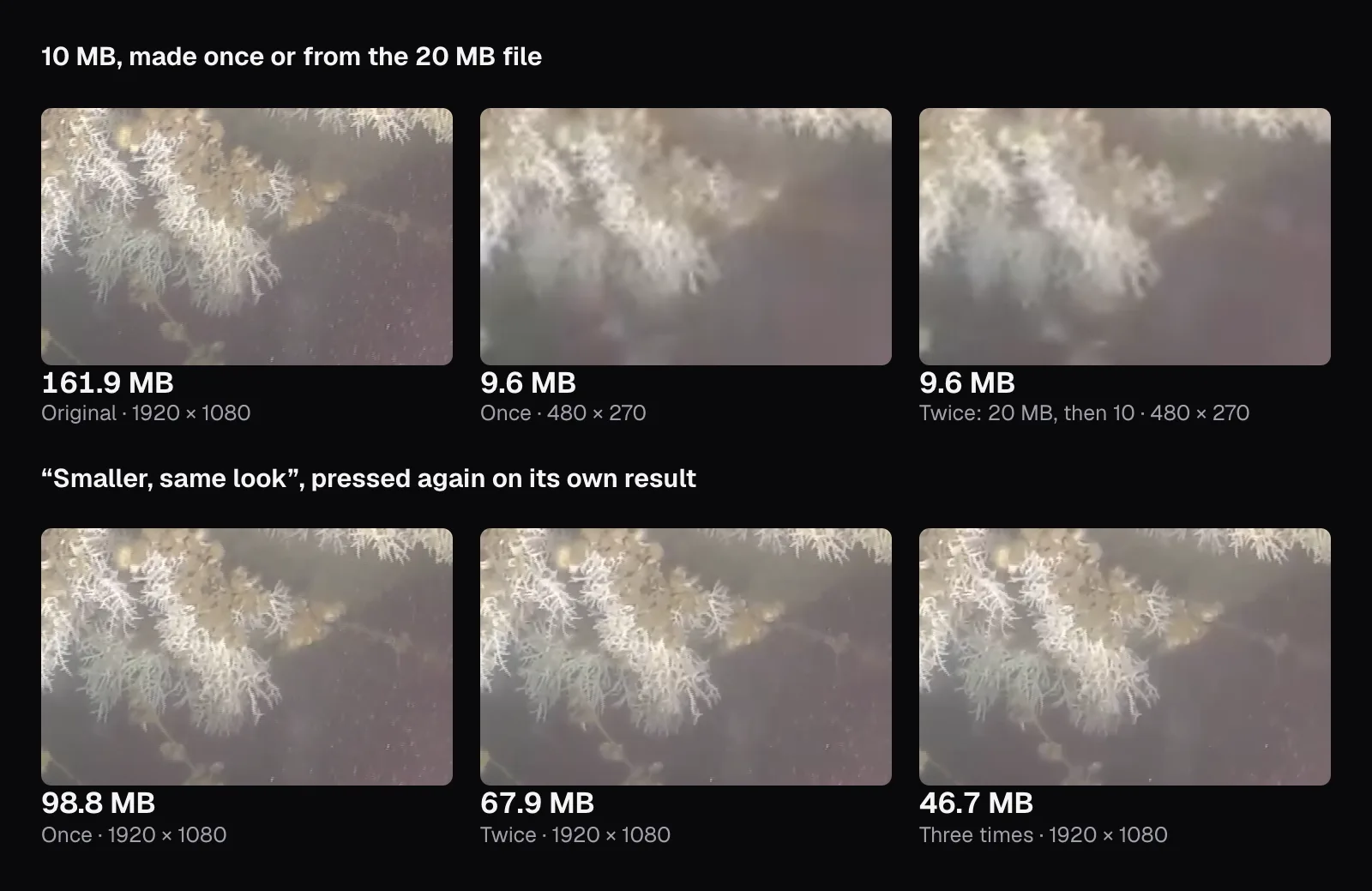
Compressing a compressed file is the opposite: it pays twice for one saving. The second encoder only sees the first one's output, its softness and blocks included, takes that for the picture and drops detail of its own on top. We made the 20 MB coral file 10 MB, and compared it with the 10 MB file made from the original. Both came out 9.6 MB at 480 × 270, but the one compressed twice scored 0.855 against 0.870, about the same as the single compression to 5.2 MB, which scored 0.853.
Pressing “Smaller, same look” again on its own result does the same thing quietly. The planner sees only the file's own bitrate, not where it came from, and its 70% rule makes every pass smaller: 98.8 MB, then 67.9, then 46.7. The third pass planned 0.032 bits per pixel, under the line where a size goal would warn of blocks, and no note appeared. Its file scored 0.936, below the 0.940 of the 37.3 MB file made in one step from the original.
What to do with your own video
- Cut what nobody needs first. Compress Video's own “Part of the video” fields do it in the same encode. Trim Video works too: keep one part of an H.264 or HEVC video and it copies the picture untouched.
- With no size to meet, choose “Smaller, same look”. From our generous original it cut 39% with no change we could find in the coral; from a lean one, check the result.
- With a limit to meet, choose Discord, WhatsApp or Email, or type the size into “Custom size”, and leave Resolution on “Auto”. For slow footage, try one step larger and compare.
- Look before you send. Drag the divider on the result screen across the most detailed part of the picture, then watch the downloaded file at full screen. If the loss shows, go back for a shorter part or a larger size.
- If the sound doesn't matter, turn off “Keep the sound”. At the smallest sizes the sound can take most of the file.
- Compress once, from the original, and keep the original.
If the shape of the picture has to change as well, for a vertical feed, do that in Resize & Crop first: it encodes for high quality rather than for a size, so its file keeps a generous bitrate, and compressing that file is the one real squeeze. And if you're sending the file, the limits of email and chat apps are in our guide to sending a large video.
Questions people ask
Can you compress a video without losing any quality?
Not strictly: making a video smaller means encoding it again, and every lossy encode loses something. The loss can be too small to see, though. Our coral video at 74.6 MB, under half its original 161.9 MB and still 1080p, showed the coral unchanged at actual pixels; only a few of the faintest particles in the water were gone. Lossless compression exists, but MDN notes it can't shrink video nearly as much as lossy compression.
How much can I compress a video before it looks worse?
It depends on how generous the original is. Our coral footage, at 0.11 bits per pixel, lost more than half its size with no change we could see in the coral, and softened slightly at under a quarter. Fireworks that started at 0.064 bits per pixel showed blocks in the smoke at 70% of their size. Compare the result with the original before you send it.
Is it better to lower the resolution or the bitrate?
For fast-changing footage, lower the resolution: set to 1080p, our fireworks couldn't be made 4 MB and came out 8.4 MB. For slow, steady footage, a higher resolution at a low bitrate can look better: our corals at 20 MB scored higher kept at 1080p than at Auto's 854 × 480. Try both and compare.
Why did my compressed video come out bigger than the size I asked for?
Encoders only approximate the bitrate they're given, and at very low bitrates they may not go lower. Compress Video then makes the file again with less, up to twice, the second time with a smaller picture, and tells you if it still missed. In our test, the sound came out larger than planned at the tightest sizes; turning it off let 2.5 MB fit.
Does compressing a video twice lower the quality?
Yes. The second encoder works from the first one's output, blur and blocks included, and loses detail of its own on top. We made a 20 MB coral file into 10 MB, and it kept less of the picture than a 10 MB file made straight from the original; it scored about the same as one compressed to 5.2 MB. Compress from the original whenever you still have it.
Sources
Where the facts in this guide come from, besides our own tests:
- Web video codec guide — MDN Web Docs
- Image Quality Assessment: From Error Visibility to Structural Similarity (Wang, Bovik, Sheikh and Simoncelli, 2004) — IEEE Transactions on Image Processing, authors' copy at New York University
Footage in this guide
The pictures were made with Cutlia's tools from this openly licensed footage, found on Wikimedia Commons:
- Sélection d'images sous-marines issues de la campagne Caladu 2019 (Ifremer 00947-105924 - 54670) — Olivier Dugornay and Marie-Claire Fabri (Ifremer), CC BY 4.0
- Close-up fireworks during Lunar New Year celebration in Zhongshan, China, 2026 — JaydenChao, CC BY 4.0